How to Use the All-in-One Bundle: 5 Spreadsheet Templates
Buy the bundle for $8.99 on Lava.top, then open each of the 5 spreadsheets in Excel, LibreOffice Calc or Google Sheets. Start with the "Start Here" sheet in each file, type your own numbers, and the built-in formulas total everything automatically.
Updated · By Pintergrab
Lite is free to download, no sign-up. Pro is sold on Lava.top.
Steps
Get the bundle for $8.99 and download all five Pro files.
Open each file in Excel, or in Google Sheets via File > Import > Upload.
Read the "Start Here" sheet inside each spreadsheet first.
In the budget planner, set up Categories, then type transactions in the month sheets.
In the habit tracker, list habits and weekly targets on the Habits sheet.
Mark your first week on the month sheet with ✓ or –.
In the meal planner, pick recipes in Week Plan and check the Grocery List.
What you get
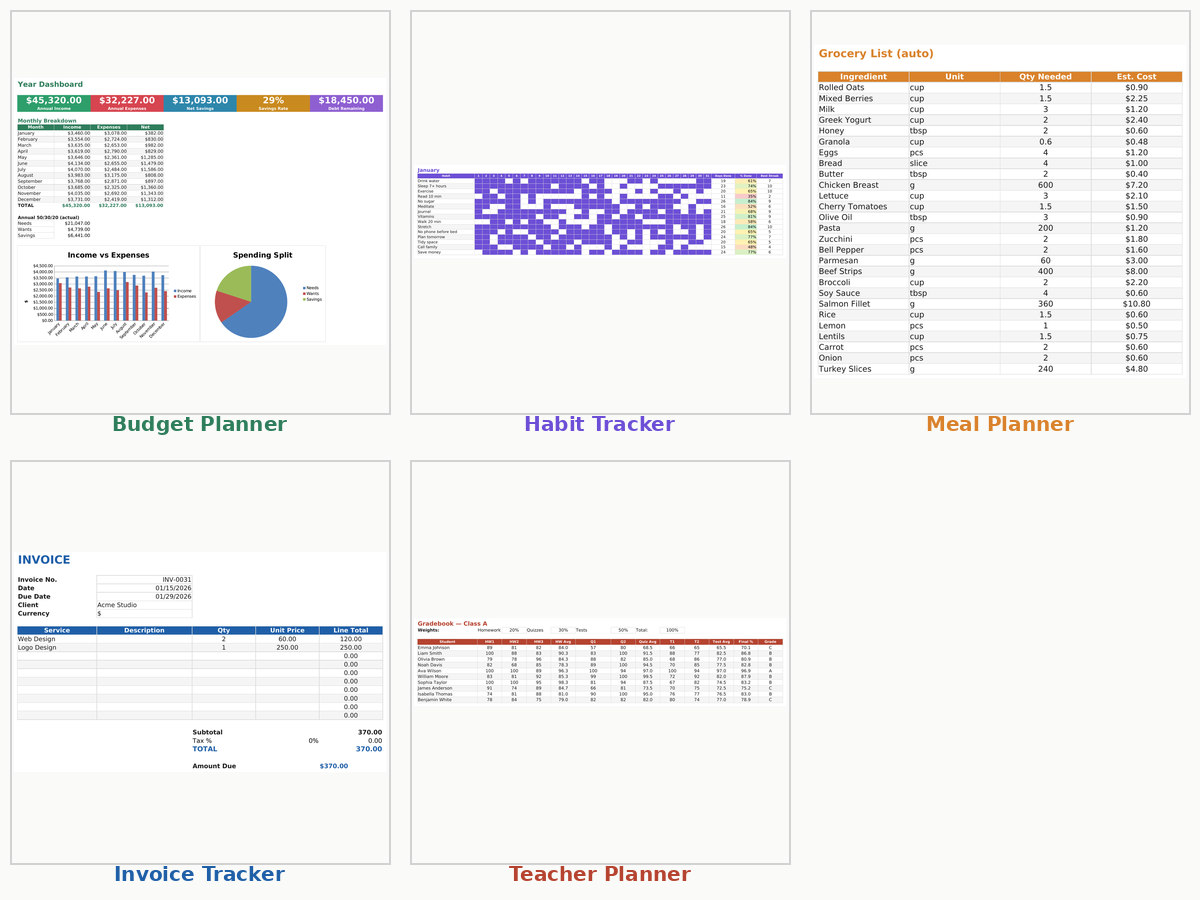
The bundle contains five Pro .xlsx files: Family Budget Planner, Habit & Routine Tracker, Weekly Meal Planner, Invoice Generator & Client Tracker, and a teacher gradebook. Each file opens in Excel, LibreOffice Calc and Google Sheets. One payment of $8.99 covers all five.
Step 1: Open each file
Download the five files and open them in Excel or LibreOffice Calc. In Google Sheets, use File, then Import, then Upload, and pick the file.
Every file starts with a "Start Here" sheet. Read it first — it lists the setup steps for that spreadsheet.
Step 2: Set up the Budget Planner
- Open the "Categories" sheet and check the category list, such as Salary and Freelance under Income.
- Go to a month sheet, for example "Jan". It has a transaction table with Date, Type, Category, Grp, Description and Amount columns.
- Use the dropdowns: Type offers Income or Expense; Category pulls from the Categories sheet.
- The Summary box on the right updates automatically — totals come from the 49 formula cells on each month sheet.
- Later, fill in the Debts, Goals and Dashboard sheets the same way.
Step 3: Set up the Habit Tracker
- Open the "Habits" sheet and type your habits, such as Drink water or Sleep 7+ hours.
- Set "Times per week" with the dropdown from 1 to 7. Three is a real target; 7 is a resolution.
- On a month sheet, mark each day with ✓ when you do it, or – when you skip.
- The Dashboard sheet tracks completion by habit and month, plus longest streak.
Step 4: Fill your first week with the Meal Planner
- Open "Recipes" and "Ingredients" — add your own recipes and ingredients with quantities and prices.
- Go to "Week Plan" and pick a recipe from the dropdown for each day: Breakfast, Lunch, Dinner.
- Open "Grocery List". It already shows how much of each ingredient you need and the estimated cost. Swap a meal and the list updates.
Type only your own numbers. The formulas and print areas are already set up.
In short
The All-in-One Bundle costs $8.99 and includes 5 Pro spreadsheets: a family budget planner, a 12-month habit tracker, a weekly meal planner with automatic grocery list, an invoice generator with client tracking, and a teacher gradebook with weighted grades. Each budget month sheet has 49 formula cells and dropdowns for income and expense categories, plus a dashboard with 47 formula cells showing annual income, expenses, net savings and savings rate. The habit tracker has 12 month sheets with up to 630 formula cells each, a Habits sheet for your habit list, and a dashboard with 227 formula cells tracking completion, streaks and habits tracked. The meal planner has 65 formula cells in its automatic grocery list, which totals needed quantities and estimated costs from your week plan. All files open in Excel, LibreOffice Calc and Google Sheets.
Questions people ask
Can I use the bundle in Google Sheets?
Yes. Every file opens in Excel and LibreOffice Calc directly. For Google Sheets, open a new sheet, use File, then Import, then Upload, and select the downloaded file. The formulas and dropdowns work the same way.
Do I need to write any formulas?
No. Each month sheet in the budget planner has 49 formula cells, the habit tracker has up to 630 per month, and the grocery list has 65. You type your own numbers and the sheets calculate.
How many categories can the budget tracker use?
The Category dropdown on the budget month sheets pulls from 22 rows on the Categories sheet, covering both income and expense groups. You can edit those rows to match your own spending.
Can I track more than a few habits?
The Habits sheet has 15 rows for habit names, each with a weekly target from 1 to 7. The dropdown on the month sheets offers blank, ✓, or – for every day of the month.