Teacher Gradebook Spreadsheet: Weighted Grades in the All-in-One Bundle
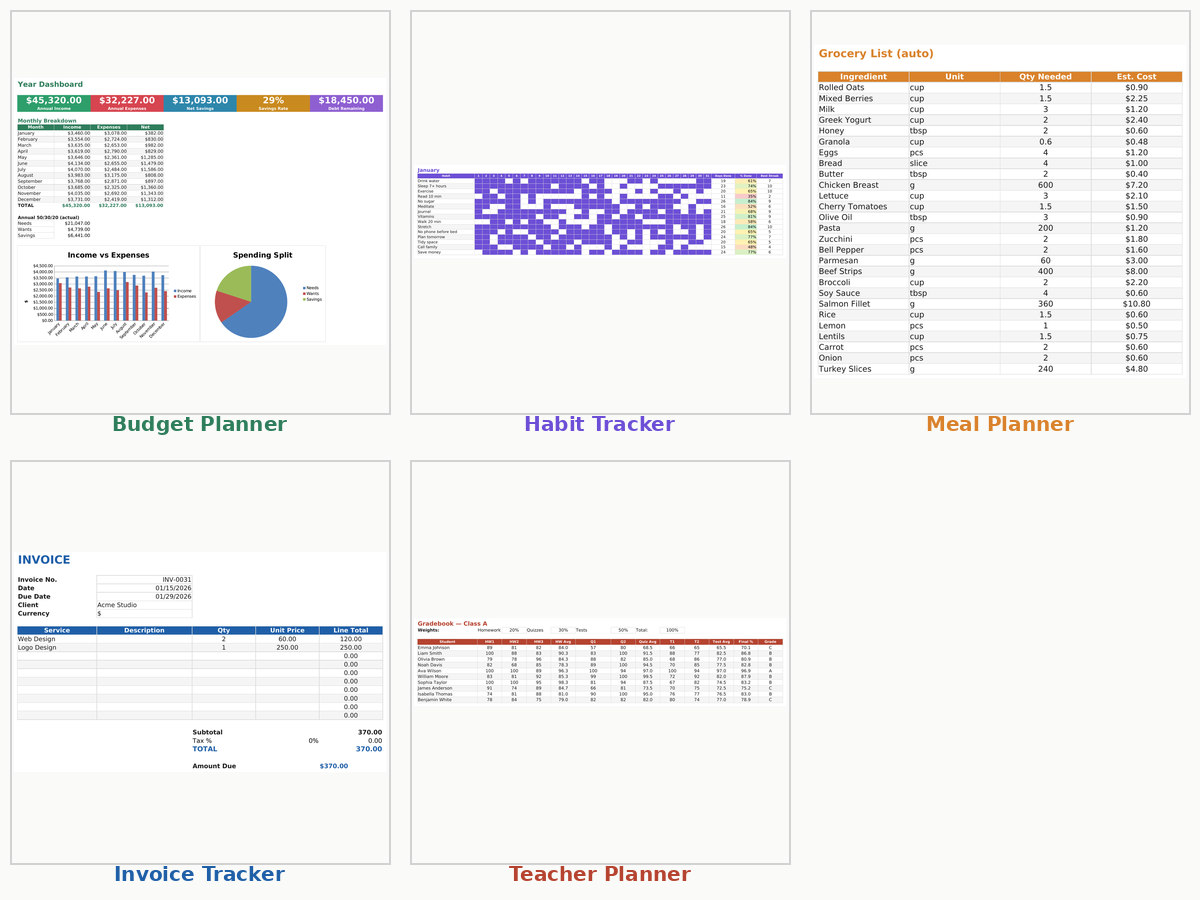
The All-in-One Bundle: 5 Spreadsheet Templates ($8.99) includes a teacher gradebook built for weighted grades. You enter each student's scores and the weights you choose; the formulas compute the weighted totals. The file opens in Excel, LibreOffice Calc and Google Sheets.
Updated · By Pintergrab
Lite is free to download, no sign-up. Pro is sold on Lava.top.
Weighted grades without writing formulas
Most teachers who calculate weighted grades by hand rebuild the same arithmetic every term: multiply each category average by its weight, add the pieces, repeat for every student. The gradebook in the All-in-One Bundle does that arithmetic for you. It is one of five Pro spreadsheets in the bundle ($8.99), alongside the budget planner, habit tracker, meal planner and invoice generator.
The file is a real spreadsheet with formulas already in place. You type in your own numbers — student scores and the weights you set — and the weighted totals update on their own. No formula writing, no separate calculator window.
What teachers track with it
- Scores by assignment. Enter each raw score as you grade; the sheet keeps a running record per student.
- Category weights. Set how much each category counts; the formulas apply the weights to the score averages.
- Course totals. Weighted grades recompute as soon as any score changes, so current standing is always visible.
- Printing. Print areas are already set up, so a paper copy for records or parent meetings takes one click.
A filled-in example
Suppose a class has three graded categories and you have entered scores for one student, Maya, through the week:
- Homework category average: 91
- Quiz category average: 84
- Test category average: 78
With weights entered as 30, 20 and 50, the gradebook multiplies each average by its share and sums the result: 27.3 + 16.8 + 39.0 = 83.1. That weighted total appears automatically. Fix a mis-entered quiz score and the total corrects itself — no re-doing the math by hand.
Getting the file
The bundle gives you download links for all five Pro files. Open the gradebook in Excel or LibreOffice Calc directly, or upload the .xlsx to Google Sheets with File > Import. Formulas work in all three. If new spreadsheets join the collection later, bundle buyers get them at no extra cost.
In short
The All-in-One Bundle: 5 Spreadsheet Templates costs $8.99 and bundles all five Pro spreadsheets from the 'Spreadsheets That Do the Math' collection — buying them one by one would cost $25. One of the five is a teacher gradebook with weighted grades. Every file is a working spreadsheet with real formulas, not a picture: it opens in Excel, LibreOffice Calc and Google Sheets (via File > Import for the .xlsx). The other four templates cover a family budget planner with a dashboard and debt tracker, a 12-month habit tracker, a weekly meal planner with an automatic grocery list, and an invoice generator with client tracking. Teachers use the gradebook to plan and track: raw scores go in, weighted course grades come out, recalculated as soon as a number changes. Formulas and print areas are already set up, so no formula writing is needed.
Questions people ask
How does the gradebook handle weighted grades?
You enter raw scores and set a weight for each grading category. The spreadsheet's built-in formulas multiply each category average by its weight and add the results, so the weighted course grade updates automatically whenever a score changes.
Can I open the gradebook in Google Sheets?
Yes. The file is an .xlsx that opens in Excel and LibreOffice Calc, and can be uploaded to Google Sheets through File > Import. The formulas are already set up and work in all three programs.
Does the gradebook come as a separate purchase?
No. It is part of the All-in-One Bundle: 5 Spreadsheet Templates, which costs $8.99 and includes the budget planner, habit tracker, meal planner, invoice generator and gradebook together.
Do I need to write any formulas for weighted totals?
No. The gradebook arrives with working formulas already in place. You only type in scores and weights; the weighted calculations, like any running averages, are handled by the sheet.