Weekly Meal Planner
Pick your meals — the grocery list builds itself
Built with AI assistance, every template hand-checked and tested.
What's inside
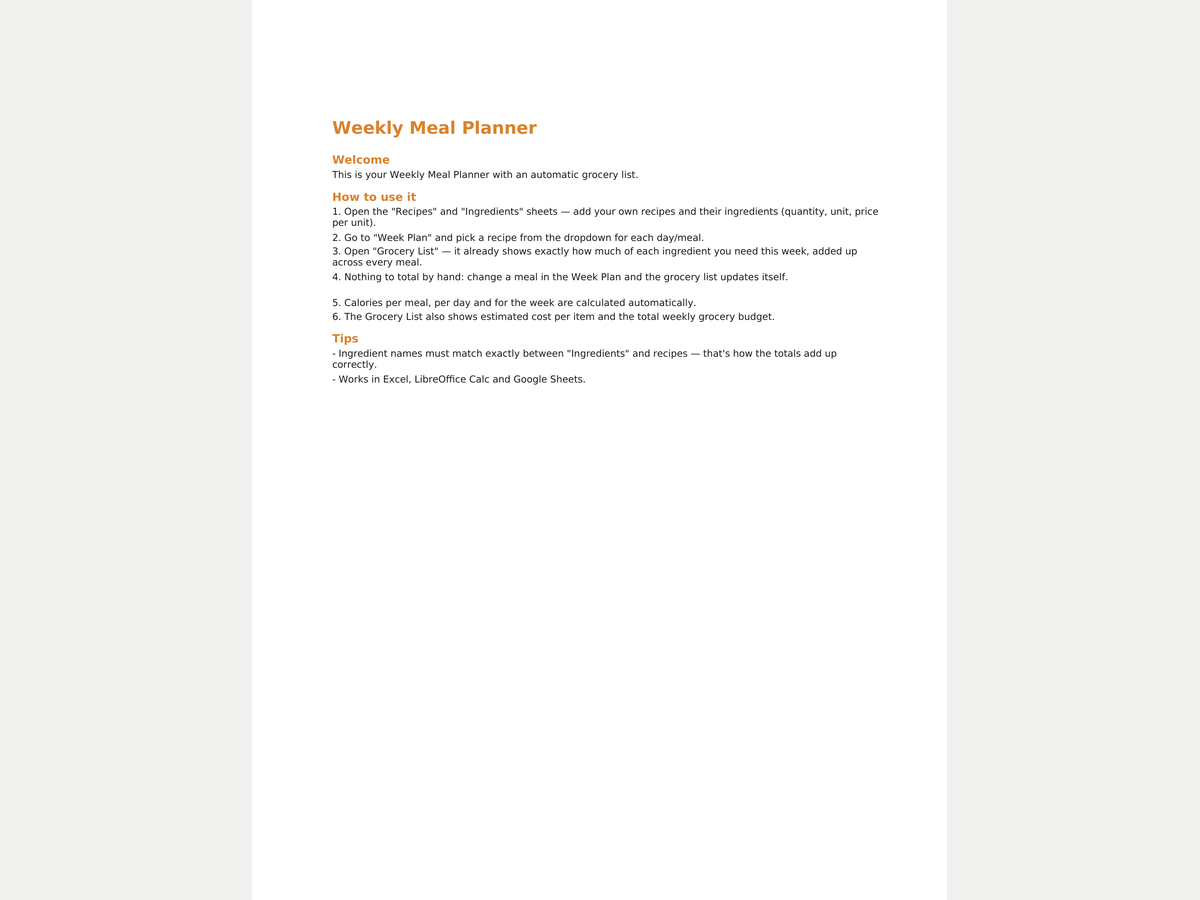
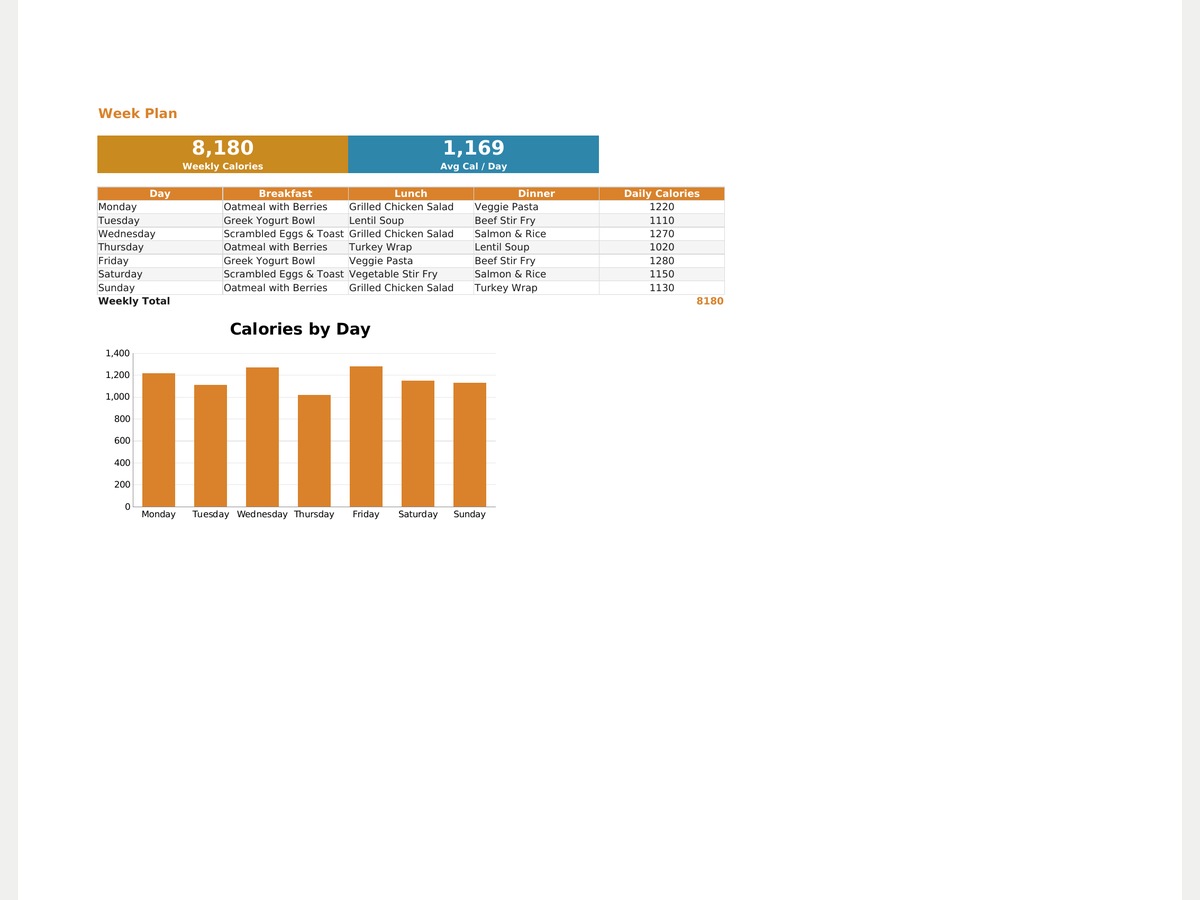
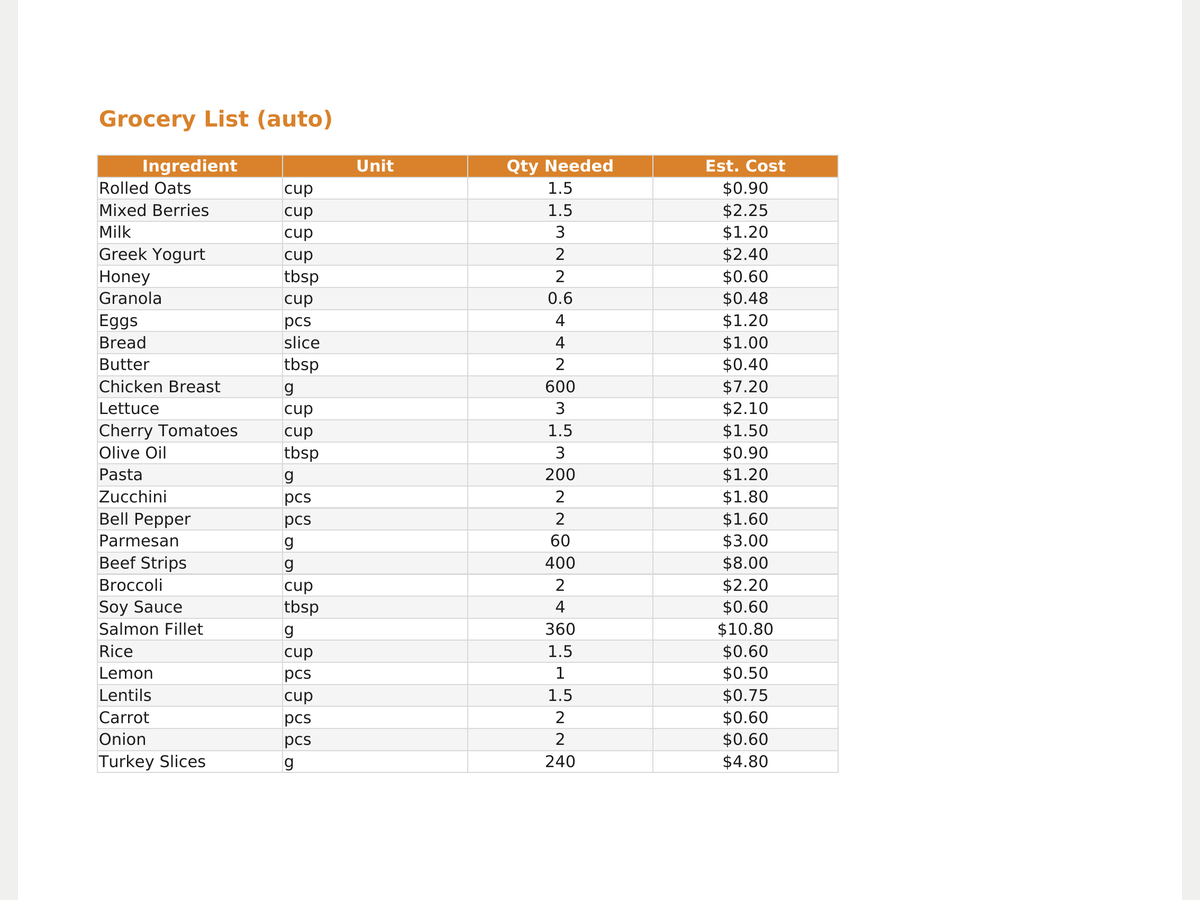
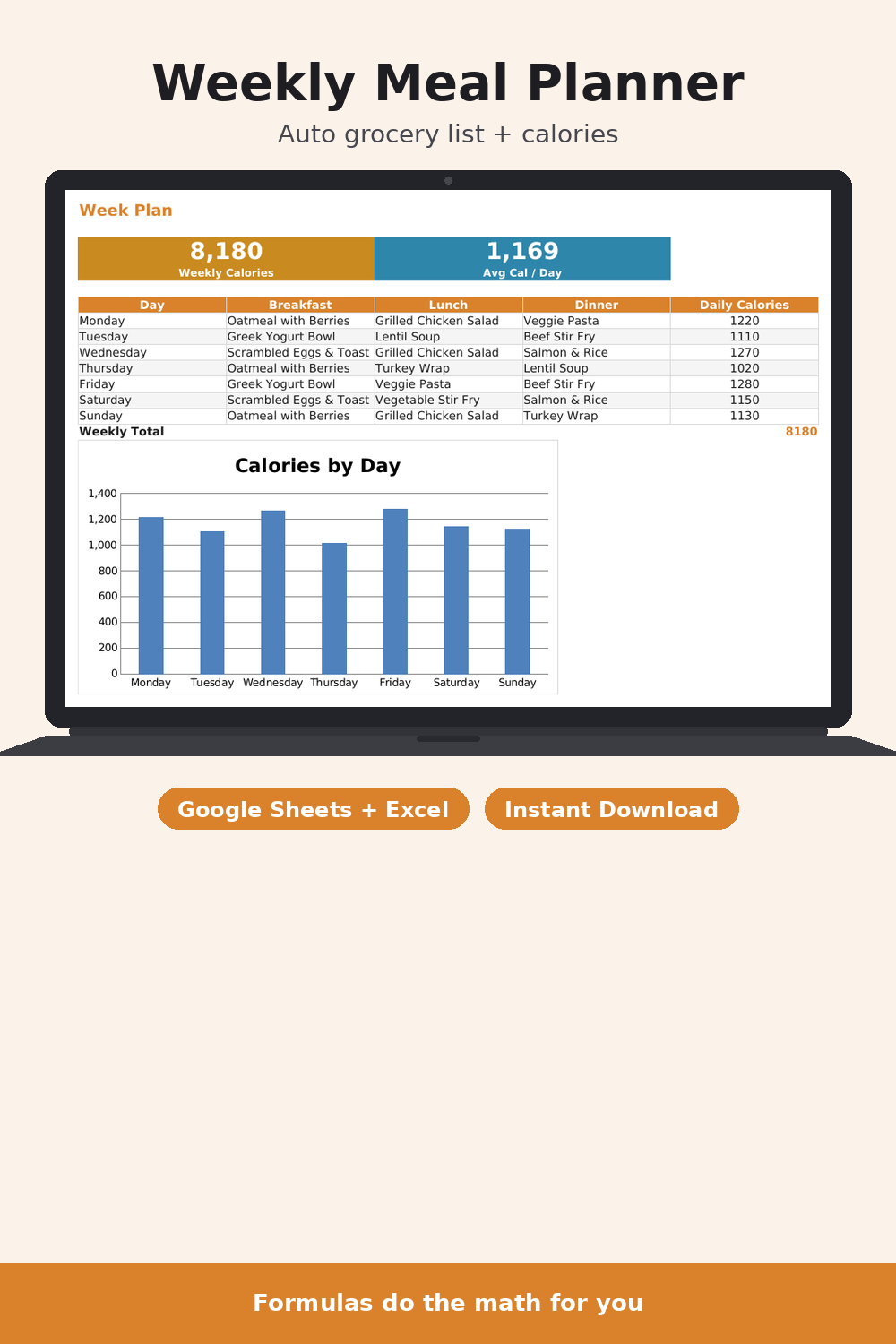
A weekly meal planner spreadsheet for Google Sheets and Excel with a grocery list that builds itself. Add your own recipes and ingredients once, then just pick a meal from the dropdown for breakfast, lunch and dinner on the Week Plan sheet. The Grocery List sheet automatically totals exactly how much of each ingredient you need across everything you planned — nothing to add up by hand. Pro adds calorie totals per meal, per day and for the whole week, plus an estimated price per item and a total weekly grocery budget.
- Grocery list totals itself by formula from your week plan
- Dropdown recipe pickers for every day and meal
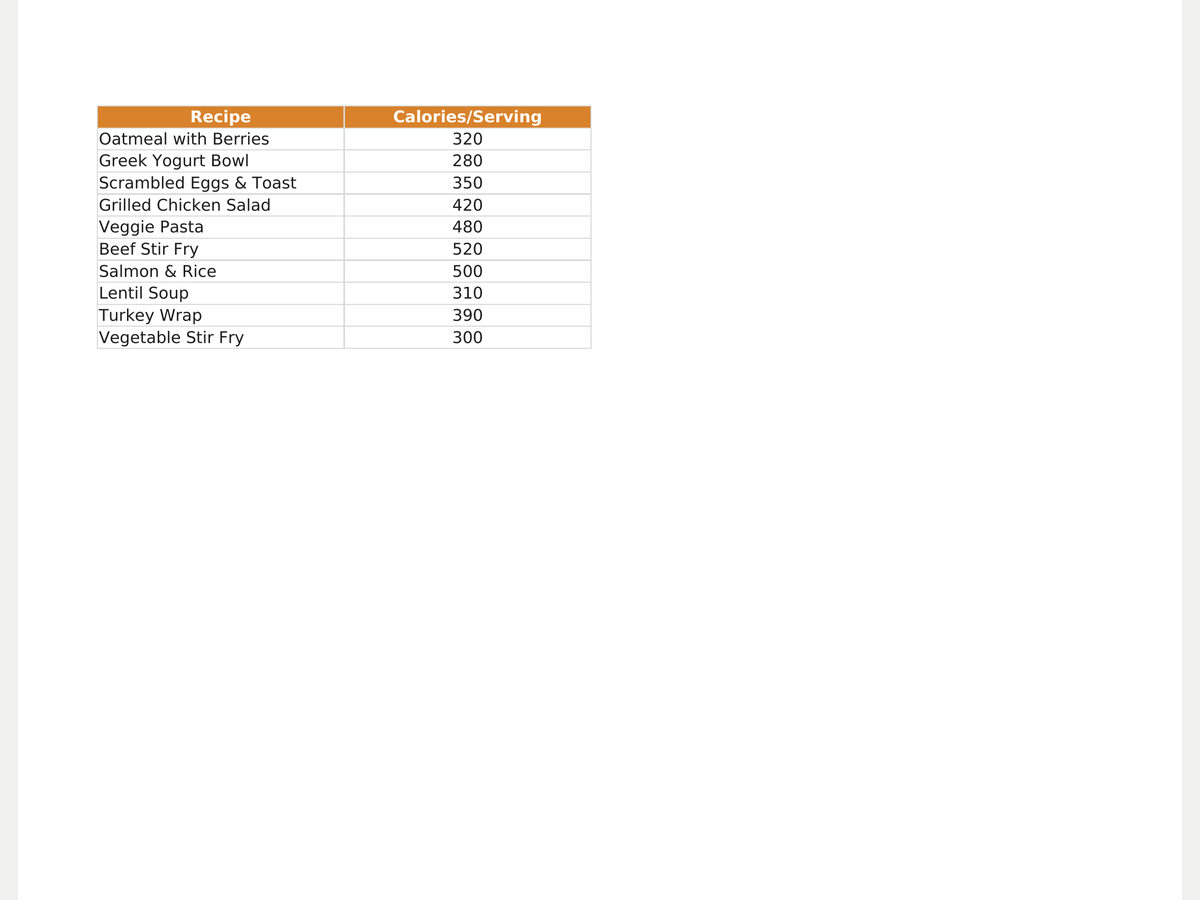
- Your own editable recipe and ingredient database
- (Pro) Calories per meal, per day and per week
- (Pro) Estimated price per item and total weekly budget
- Frozen header row, English and Russian versions
Formats
How you get it
A Google Sheets link (“File → Make a copy”) plus an .xlsx file and a short PDF instructions sheet. The email with your files goes out right after payment, automatically — no waiting for a reply.
Pro version
How to use it
- Click Download free Lite — the file saves instantly, no email needed.
- Open it in Google Sheets (File → Make a copy) or Excel/Numbers depending on the format you picked.
- Fill in your own numbers/dates — formulas and print areas are already set up.
FAQ
How does the grocery list know what I need?
It counts how many times each recipe appears in your week plan and multiplies by that recipe's ingredient amounts — adding it all up per ingredient automatically.
Can I add my own recipes?
Yes — add them on the Recipes and Ingredients sheets and they show up in the Week Plan dropdown right away.
What's the difference between Lite and Pro?
Lite has no calories or cost tracking. Pro adds daily/weekly calories and a grocery budget with a price for every item.