Pinterest Image Downloader
Paste a pin link and save the photo in original full resolution.
pinterest.com/pin/… · pin.it/…
Paste a link to a public Pinterest image pin and press Download. You get one file: the original version Pinterest keeps for the pin, in the author's format. We tested 6 image pins, and all 6 came out this way, the largest at 1080×1920. It is free and needs no app or account.
Updated 19 October 2026. Tested by the Pintergrab team on 18 October 2026.
How to download an image from Pinterest
Copy the pin link. On a phone, open the pin in the Pinterest app, tap Share, then Copy link. You get a short link that starts with pin.it. On a computer, open the pin and copy the address from the browser bar. It looks like pinterest.com/pin/ followed by a long number.
Paste the link and press Download. Paste it into the box at the top of this page and press Download once. Wait for the result card under the box.
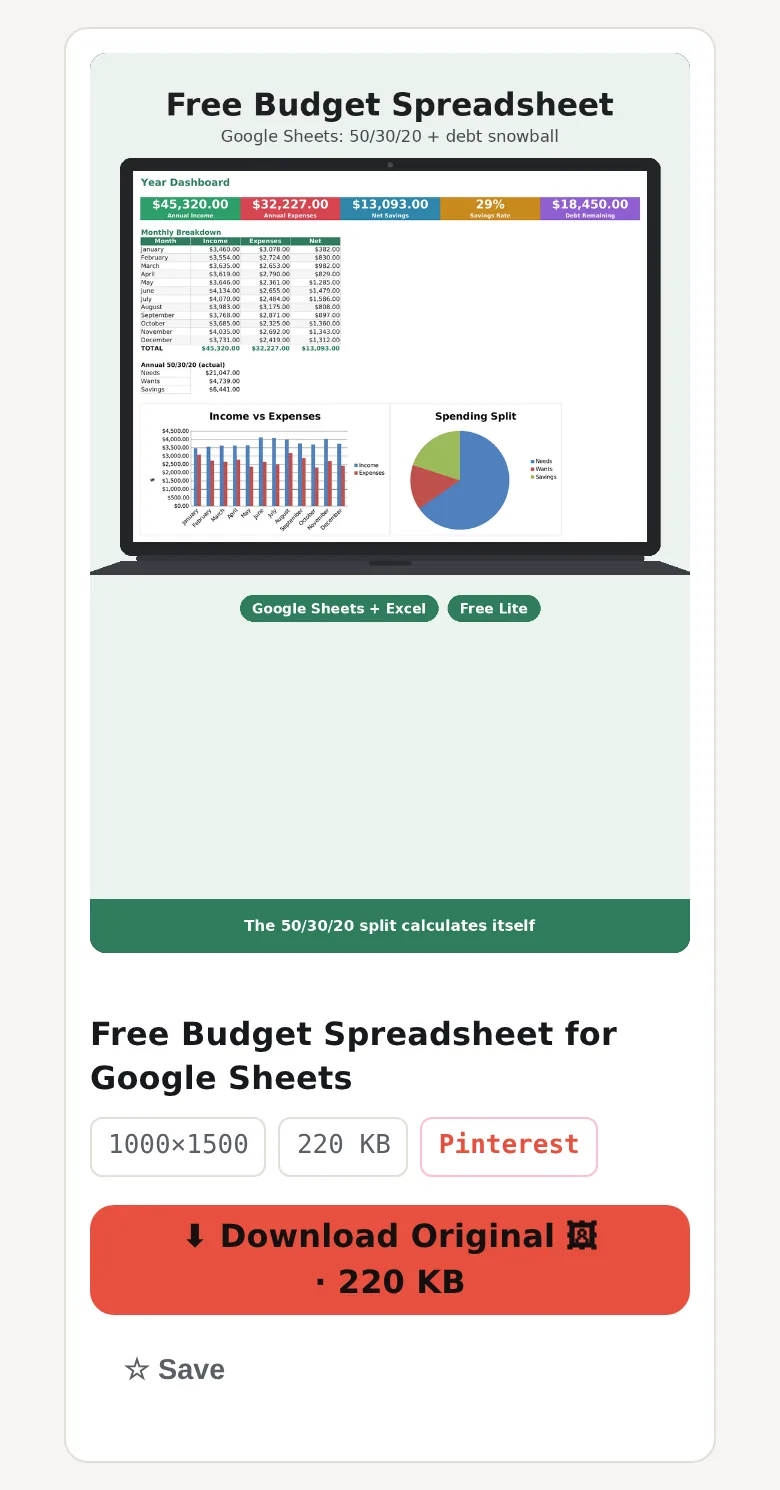
Check the preview and save the file. A card with a preview of the image appears under the box. It offers one version of the image, the original. Press Download on the card. The file keeps the author's format: a PNG stays a PNG, and a JPEG stays a JPEG.
Find the image. On a computer, the browser puts the file in your Downloads folder. On Android, Chrome saves it to the Download folder of the phone. On iPhone, Safari saves downloaded files to the Files app, in the Downloads folder by default, and not to Photos.
What size and format do Pinterest images download in?
Pintergrab saves a public Pinterest image pin as one file: the original version Pinterest keeps for the pin, in the format the author uploaded. A PNG stays a PNG and a JPEG stays a JPEG, because the tool does not convert or upscale images. On 18 October 2026 we tested 6 public image pins, and all 6 downloaded and opened: three were JPEG, two were PNG and one was WEBP. The frames ranged from 675×1200 to 1080×1920. The files weighed 126 KB to 2.06 MB, with a median of 379 KB; the two PNG files were the heaviest. The server answered in 1.47–2.33 s, and a file took a median 0.72 s to download. Each press of Download in the box counts as one request toward the hourly limit; saving the file from the result card does not count. We timed the answers and the downloads from our own test server, so on your connection the time will be different.
| Image | Format | Resolution | File size | Server answer | Download time |
|---|---|---|---|---|---|
| 1 | JPEG | 675×1200 | 160 KB | 1.72 s | 0.64 s |
| 2 | PNG | 1024×1536 | 2.06 MB | 1.75 s | 2.99 s |
| 3 | JPEG | 1080×1920 | 386 KB | 1.47 s | 0.68 s |
| 4 | WEBP | 736×1309 | 126 KB | 2.19 s | 0.57 s |
| 5 | JPEG | 1080×1920 | 371 KB | 2.33 s | 0.75 s |
| 6 | PNG | 1128×1372 | 1.73 MB | 2.15 s | 0.80 s |
Median server answer: 1.95 s. The two PNG files were the heaviest, 1.73 MB and 2.06 MB, because PNG keeps every pixel without loss. We pass on the file Pinterest keeps for the pin and do not upscale it, so a small picture stays small.
What usually goes wrong
Each error card names its cause in bold, with a hint or a Try again button below.
The picture moves. An animated pin is often a GIF. The Pin moves? Save it as a GIF with the GIF downloader, and the animation stays.
The pin was deleted or the link is broken. The card says "This pin is deleted, private or has no file." Open the link in Pinterest to check. If Pinterest shows nothing, the image is gone, and no downloader can get it back.
The link is not from Pinterest. If you paste a link to an ordinary web page, the page says "Please paste a valid Pinterest link." and sends nothing. A link our server turns down gets "This link is not from a supported site." Both come with the hint "Open the pin, tap Share → Copy link and paste it here."
You hit the hourly limit. One IP address can send 41 requests per clock hour. The next one gets "Limit reached: 41 requests per hour." The hint shows when the count starts again by your clock. Your link stays in the field. On shared Wi-Fi people often share one IP address, so their requests count toward the same limit.
Pinterest did not answer. Sometimes Pinterest does not respond to our server in time, and the card says "The source did not respond." Wait a minute and press Try again.
The pin is private. Pintergrab sees only what is public. Pins on secret boards and private pins can't be downloaded.
Frequently asked questions
How do I download Pinterest images in high quality?
Paste the pin link here and press Download. Pintergrab gives you the original version of the image that Pinterest keeps for the pin, not a resized copy. Its size depends on the file the author uploaded.
How come my Pinterest downloads look blurry?
A small file stays small. Pintergrab saves the original version of the image and does not upscale it: a bigger frame would add pixels but no detail. If the author uploaded a small picture, the download will be small too. The smallest of our 6 test images was 675×1200.
How do I download Pinterest images as PNG?
You get the format the author used. A PNG pin downloads as a PNG, and a JPEG pin downloads as a JPEG. Pintergrab does not convert images, so it can't turn a JPEG into a PNG. In our test 2 of the 6 images came as PNG.
Where do downloaded Pinterest images go?
On a computer, look in your Downloads folder. On Android, Chrome saves the image to the Download folder of the phone. On iPhone, Safari saves it to the Files app, in the Downloads folder by default, and not to Photos.
Can I download all images from a board at once?
Not all of them if the board is big: the board downloader saves up to 50 pins from a board in one ZIP. Our test board had 59 pins on Pinterest, and the ZIP of 11.58 MB held 49 files.
Is it free, and is there a limit?
It is free and needs no account. One IP address can send 41 requests per clock hour. Each press of Download in the box counts as one request. Saving the file from the result card does not count.
Is it legal to download Pinterest images?
The image belongs to the person who made it. Keep downloads for personal use, and ask the author before you post the image again or use it in an ad. Pintergrab is not affiliated with Pinterest.
Do you store the images I download?
We don't keep copies of images. Preview pictures are cached on our server. Image pins you open here do not appear in the public Feed on this site: the Feed shows only videos.
Other things you can save from Pinterest
Each tool below works the same way: paste a link, press Download. The numbers come from the same test.
- Video. The Pinterest video downloader saves a video pin as MP4. All 4 video links we pasted came back in 720p.
- GIFs. The Pin moves? Save it as a GIF with the GIF downloader. Our 4 test GIFs weighed 2.27–8.56 MB.
- A whole board. Save up to 50 pins from a board in one ZIP. The ZIP of our test board weighed 11.58 MB and held 49 files.
- A whole profile. Get up to 100 pins from one profile. The test profile listed 100 pins in 1.36 s.
- Video on iPhone. Read Pinterest videos on iPhone.