Family Budget Planner Spreadsheet with Debt Tracker
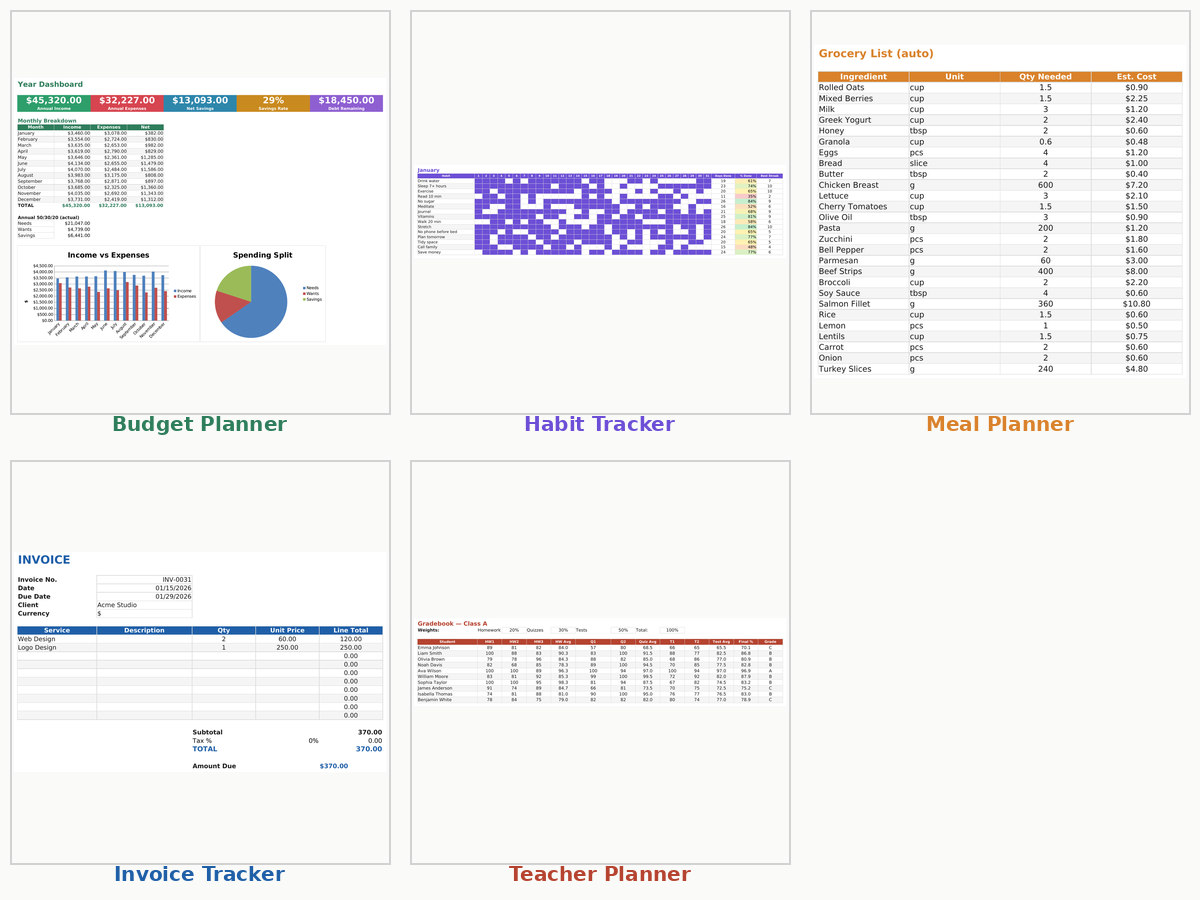
The All-in-One Bundle ($8.99) includes a family budget planner spreadsheet with a built-in debt tracker. You log income and expenses on 12 month sheets, the Debts sheet runs a debt snowball, and a Dashboard totals annual income, expenses, savings rate and debt remaining. It opens in Excel and Google Sheets.
Updated · By Pintergrab
Lite is free to download, no sign-up. Pro is sold on Lava.top.
What families plan and track with it
The All-in-One Bundle ($8.99) from pintergrab.com includes a Family Budget Planner spreadsheet with a debt tracker. Families use it for three things at once:
- Monthly household budget. Each of the 12 month sheets has a transaction table with columns for Date, Type, Category, Description and Amount. You pick Income or Expense from a dropdown, and a category from a dropdown fed by the Categories sheet.
- Debt payoff. The Debts sheet runs a debt snowball. You set an extra payment amount per month, list each debt with its balance, APR % and minimum payment, and number the payoff order in the Priority column yourself; the whole extra payment goes to debt 1.
- Savings goals. The Goals sheet tracks each goal's target amount, current amount and monthly contribution, then computes months remaining and progress. The Emergency Fund is the first row.
A Summary box sits next to each month's transaction table and updates totals as you type. No formulas to write — the calculation is already built in.
The parts that matter most for budget and debt
- The month sheets. This is where daily life gets recorded. Each sheet holds 40 transaction rows, enough for a busy month of groceries, bills and paychecks.
- The Debts sheet. The debt snowball logic is the piece most families buy this for: the Priority column ranks debts so the extra payment goes where it counts first.
- The Dashboard. It rolls the whole year into Annual Income, Annual Expenses, Net Savings, Savings Rate and Debt Remaining, with a monthly breakdown underneath. When the Debt Remaining number drops, you can see it.
A filled-in week, and the debt page
One week on the Jan sheet might look like this:
| Date | Type | Category | Description | Amount |
|---|---|---|---|---|
| 01/06 | Income | Salary | Paycheck | 2,900 |
| 01/08 | Expense | Groceries | Weekly shop | 148 |
| 01/09 | Expense | Utilities | Electric bill | 95 |
The Summary box beside the table totals the rows as they land. Over on the Debts sheet, the extra payment is set to 100 per month; each debt row shows its balance, APR %, minimum payment and computed priority, so the smallest-balance debt sits first in line for that 100.
The file opens in Excel, LibreOffice Calc or Google Sheets (File > Import > Upload). The other four templates in the bundle — habit tracker, meal planner with grocery list, invoice generator and teacher gradebook — are separate files, so the budget planner stays clean.
In short
The All-in-One Bundle ($8.99) includes a family budget planner with a debt tracker inside a working spreadsheet. The budget file has 12 month sheets, a Categories sheet, a Debts sheet, a Goals sheet, and a Dashboard. On each month sheet you type date, type, category, description, and amount into a 40-row transaction table; a Summary box on the right totals income and expenses automatically. The Debts sheet runs a debt snowball: you list each debt with balance, APR, minimum payment, and it computes priority from the extra payment you set. The Dashboard shows annual income, annual expenses, net savings, savings rate, and debt remaining for the whole year. Everything opens in Excel, LibreOffice Calc, or Google Sheets. The bundle also includes four other templates: a 12-month habit tracker, a weekly meal planner with an automatic grocery list, an invoice generator, and a teacher gradebook.
Questions people ask
How does the debt tracker in the spreadsheet work?
The Debts sheet uses a debt snowball method. You enter an extra payment available per month, then list each debt with its balance, APR % and minimum payment. You number the payoff order in the Priority column, and the whole extra payment goes to debt 1. The sheet shows each debt's total payment and months to payoff.
Can I track a full year of household spending?
Yes. The budget planner has 12 month sheets, from Jan to Dec, each with its own transaction table and a Summary box. A year Dashboard adds up Annual Income, Annual Expenses, Net Savings, Savings Rate and Debt Remaining.
Does the budget planner also track savings goals?
It does. The Goals sheet lists each goal with a target amount, current amount and monthly contribution, and calculates months remaining and progress. The Emergency Fund is one of the goals you can track there.
How many transactions can I log in a month?
Each month sheet has a 40-row transaction table with Date, Type, Category, Description and Amount columns. Type and Category are dropdowns, and the Summary box next to the table totals everything for you.