Pinterest Board Downloader
Paste a public board link and get up to 50 pins in one ZIP.
pinterest.com/user/board-name/
Paste a link to a public Pinterest board in the box above and press the button. Pintergrab takes up to 50 pins of the board and packs them into one ZIP file. In our test the ZIP weighed 11.58 MB, held 49 files and was ready in 14 seconds. No extension or program needed.
Updated 19 October 2026. Tested by the Pintergrab team on 18 October 2026.
How to download a Pinterest board as ZIP
Copy the board link. Open the board on Pinterest in a browser and copy the address from the address bar. It looks like pinterest.com/user/board-name/: first the account name, then the name of the board. We tested links in this full form, so use it on a phone too. A link to a single pin is not a board link, and the page will not take it.
Paste the link and press the button. The page asks our server for the list of pins on the board. A board card appears under the box with the number of pins found and a ZIP button.
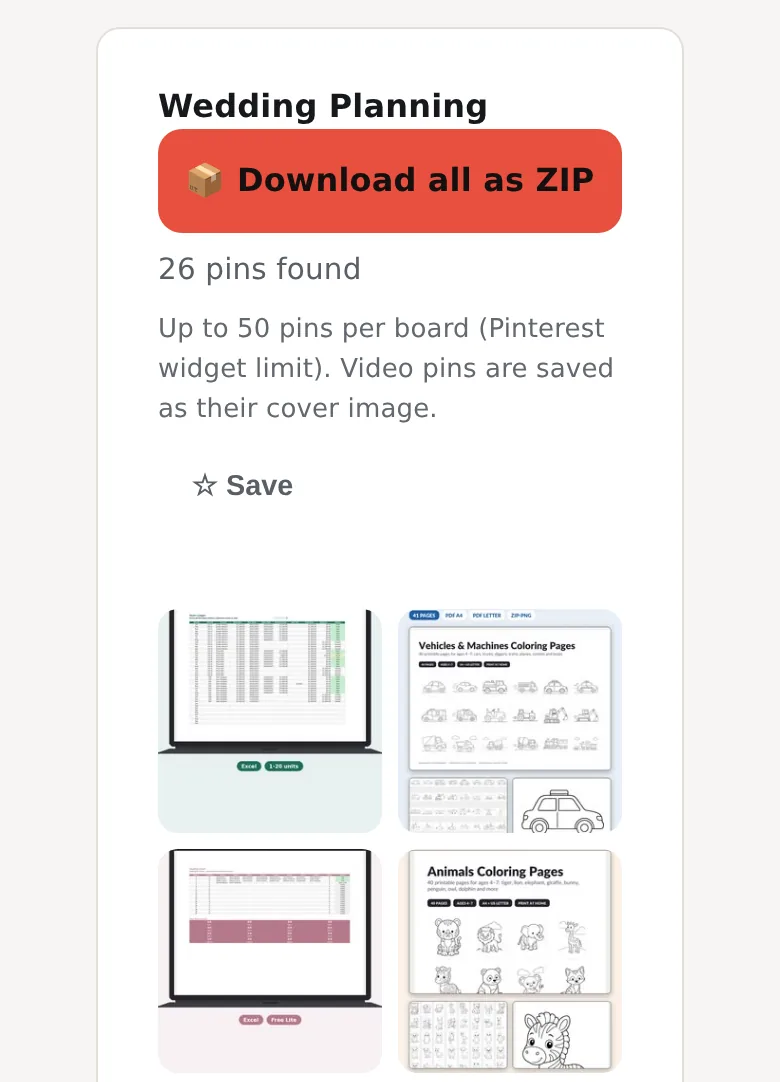
Press Download all as ZIP and wait. The server first fetches the pins and builds the whole archive, and only then sends it to you. The wait is normal. Don't press again: each press counts as one more archive toward the hourly limit.
Open the ZIP. On a computer the ZIP goes to the Downloads folder; open it there to unpack the pictures. On Android, Chrome saves it to the Download folder of the phone. On iPhone, Safari puts it in the Files app, in the Downloads folder by default.
How many pins fit in one board ZIP, and how long does it take?
Pintergrab packs up to 50 pins of a public Pinterest board into one ZIP file. If the board has more pins, the rest stay out, and there is no setting to raise the limit. On 18 October 2026 we tested a public board with 59 pins on Pinterest. The tool listed 50 pins in 1.81 s. The ZIP weighed 11.58 MB and held 49 files, JPG and PNG pictures of 18–945 KB each. The server builds the whole archive before it sends anything, so the download started after 12.72 s and was over at 13.93 s. A few pins of a board may not reach the archive; save those one by one. One IP address can download 6 ZIP archives per hour and send 31 board requests per hour. Only public boards work, because a secret board is visible only to its owner and the people invited to it. We timed everything from our own test server, so on your connection the time will be different.
| What we checked | Test board |
|---|---|
| Pins on the board in Pinterest | 59 |
| Pins the tool found | 50 |
| Files in the ZIP | 49 |
| ZIP size | 11.58 MB |
| Files inside | JPG and PNG, 18–945 KB each, median 172 KB |
| List of pins ready | 1.81 s |
| Wait before the download starts | 12.72 s |
| Full ZIP download | 13.93 s |
The board had no video pins, so all its files were pictures.
If a pin you need is missing, save it on its own. For a picture, use the page for one image. For an animated pin, use the page for one GIF. For a video, use the main page for one video pin.
What usually goes wrong
The board has more than 50 pins. Our test board had 59 pins on Pinterest, so 9 of them did not get into the ZIP.
A few pins are missing from the ZIP. The tool can list a pin and still leave its file out of the archive. On our test board, one listed pin did not reach the ZIP. Look through the unpacked folder and save the missing pins one by one.
You pasted a pin link instead of a board link. The page shows "Couldn’t fetch this board. Check the link" and then "it should look like pinterest.com/user/board-name/." Open the board itself, not one of its pins, and copy the board address.
The ZIP limit is reached. One IP address can download 6 ZIP archives per hour. The 7th gets the answer "Too many ZIP downloads this hour. Try again later." Wait until the next hour and try again. The lists of pins have a limit of their own: 31 board requests per hour. The 32nd request gets "Limit reached: 31 requests per hour."
The download takes long. The server builds the whole archive before it sends the first byte. Leave the page open and wait for the download to start.
Frequently asked questions
Can you download a whole Pinterest board at once?
Up to 50 pins at once.
How do I download a Pinterest board on iPhone or Android?
Open the board in the phone browser, copy the full address and paste it here. Press the button, then ZIP on the board card. On iPhone the ZIP lands in the Files app, in the Downloads folder by default. On Android it goes to the Download folder.
Can I download a Pinterest board as a PDF?
No. The board tool gives you a ZIP with the picture files of the pins.
Do I need an extension or a program?
No. Everything happens on this page: you paste the link, press the button and get the ZIP. There is nothing to install and no account to create.
Can I download a secret board?
No. Pintergrab does not sign in to Pinterest, so it works only with public boards. A secret board is visible only to its owner and the people invited to it.
How long does a board take?
On our test board the list of pins came in 1.81 s, and the whole ZIP took 13.93 s. The server spends most of that time building the archive before the download starts.
Can I get all pins from one profile?
Yes, with the profile tool: download a whole profile (up to 100 pins).
Other things you can save from Pinterest
Each tool below works the same way: paste a link, press the button. The numbers come from the same test.
- One video. For one video pin use the main downloader. It saves an MP4 as Pinterest serves it; our test videos were up to 720×1280.
- One picture. For one image use the image page. It gives the original file in the format the author uploaded.
- One GIF. For one GIF use the GIF page. Our 4 test GIFs came out animated, with 11–48 frames.
- A profile. Download a whole profile (up to 100 pins) when one board is not enough.
- Video on iPhone. See Pinterest videos on iPhone.