Rental Property Tracker for Small Landlords: Rent Ledger, Late Fees, Schedule E
A rental property tracker for small landlords needs to do three things a generic budget spreadsheet does not: calculate whether each tenant's rent is Paid, Late, Partial, or Unpaid automatically, handle late fees and prorated rent without you doing the math by hand, and sort expenses into the categories the IRS actually asks for on Schedule E. The Landlord Rental Tracker is built specifically for that, for portfolios of 1 to 20 units.
What's inside the tracker
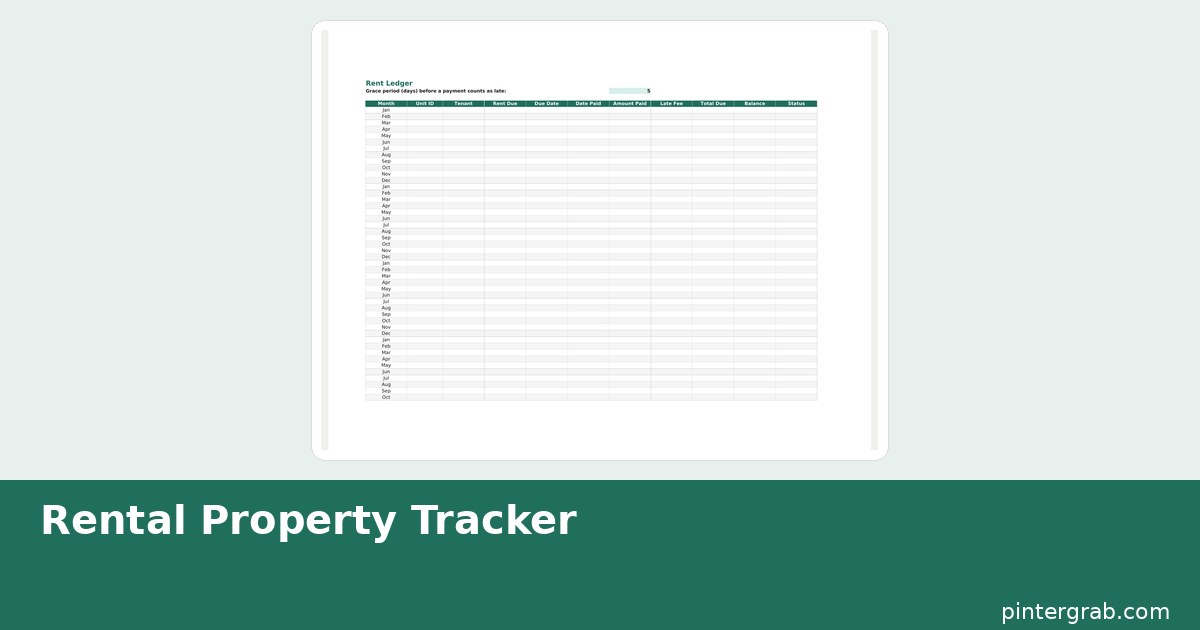
Properties & Units for keeping your portfolio organized, Tenants & Leases for lease terms and contact details, a Rent Ledger with automatic payment status, a Late Fee Calculator paired with a State Late Fee Rules reference sheet, a three-method Proration Calculator, an Expenses tab sorted into 13 Schedule E categories with a year-end summary, a Maintenance Log, a Security Deposit Tracker, Vacancy & Occupancy tracking, a Bank Import sheet with keyword-based auto-categorization, and a Dashboard showing NOI, cash flow, occupancy rate, and overdue rent with charts.
How the rent ledger's automatic status works
Each row calculates a status — Paid, Late, Partial, or Unpaid — from the rent due date, the amount paid, and the amount actually owed, so you are not manually flagging tenants every month. A grace period is configurable per property, since a 3-day grace period is common in some leases and 5 or 10 days in others; the ledger will not mark rent "Late" until the configured grace period has actually passed.
Late fees by state: what's actually reliable here, and what isn't
This is the part worth being upfront about. Late fee rules — maximum percentage or dollar amount, required grace periods, whether a fee has to be specified in the lease — are set by state law and change periodically, and the correct number for your state needs to come from your state's actual landlord-tenant statute or a current source like Nolo or your state bar association, not from a spreadsheet that was built once and never updated. The tracker's State Late Fee Rules sheet lists all 50 states with a column marked Verify next to each one specifically so you check the current statutory cap before you charge a fee, rather than trusting a number that could be a year out of date by the time you use it. The Late Fee Calculator itself does the math correctly once you enter the rate that applies to your lease and jurisdiction — it just does not pretend to know that rate for you without a check.
Proration: three methods, because leases disagree on which one to use
Move-in and move-out dates rarely land on the first of the month, so the Proration Calculator supports three common methods: actual days in the specific month, a flat 30-day month assumption, and a 365-day annual method — because different leases and different states default to different ones, and getting this wrong is a common source of tenant disputes over a partial month's rent.
Schedule E categories, explained
The Expenses tab is organized into the 13 categories Schedule E (Supplemental Income and Loss, the IRS form for rental income) actually asks for — things like advertising, cleaning and maintenance, insurance, repairs, and mortgage interest — so that at tax time your numbers are already sorted the way your tax software or accountant will need them, instead of a single "expenses" pile you have to sort retroactively every April.
Bank import with auto-categorization
Paste in a bank or credit card statement export and the sheet matches transaction descriptions against an editable keyword list (so "HOME DEPOT" auto-tags as a repairs/maintenance expense, for example) to save you re-categorizing every line by hand. The keyword list lives on its own tab so you can add or correct matches as your own spending patterns show up.
Maintenance Log and Security Deposit Tracker
The Maintenance Log records what was fixed, when, by whom, and at what cost per unit — the kind of record that matters both for your own repair-history reference and if a tenant disputes a repair timeline later. The Security Deposit Tracker keeps deposit amounts, move-in condition notes, and any deductions in one place per tenant, which is exactly the documentation most state security-deposit-return laws expect a landlord to be able to produce if a deposit is contested after move-out. Vacancy & Occupancy tracking rounds out the picture by showing how many days each unit sat empty between tenants, which is a real cost most landlords underestimate until they see it totaled for the year.
Spreadsheet vs. property management software vs. pen and paper
| Option | Cost | Schedule E ready | Good for |
|---|---|---|---|
| This tracker | One-time purchase | Yes, built-in categories | 1-20 units, hands-on landlords |
| Property management software | $1–2/unit/month and up | Varies, often needs export/mapping | Larger portfolios, tenant portals, online rent payment |
| Pen-and-paper ledger | Free | No — manual sorting every year | Very small (1-2 unit) portfolios only |
The gap this tracker is built for is specific: landlords past the point where a shoebox of receipts works, but well short of needing $50–100 a month in software fees for a handful of doors. If you cross into managing tenant applications, online rent collection, or maintenance requests submitted by tenants directly, that is the point where dedicated software starts paying for itself.
FAQ
Does the tracker tell me the exact legal late fee for my state?
No, and it is honest about that: the State Late Fee Rules sheet is a reference starting point marked "Verify" for every state, because statutory caps change and need to be confirmed against your state's current landlord-tenant law before you charge a fee.
How many units can this handle?
It's built and tested for 1 to 20 units. Larger portfolios generally benefit more from dedicated property management software with tenant portals and online payment collection.
Can I import my bank statement directly?
You paste in the exported transaction data (CSV or copied rows) rather than a live bank connection — there's no bank API integration — and the keyword-matching auto-categorization sorts it from there.
Is this only for US landlords?
The Schedule E categories and state late fee reference are US-specific (Schedule E is an IRS form). Landlords outside the US can still use the rent ledger, proration calculator, and expense tracking, just not the Schedule E-specific categorization.
Built with AI assistance, every formula hand-checked.
Keeping your personal finances separate from rental income? The Free Budget Spreadsheet guide handles household budgeting with the same automatic-calculation approach. If you're also managing a classroom or tutoring on the side, the Teacher Planner & Gradebook guide applies the same automatic-status idea to grades instead of rent.
Frequently asked questions
Does the tracker tell me the exact legal late fee for my state?
No, and it is honest about that: the State Late Fee Rules sheet is a reference starting point marked "Verify" for every state, because statutory caps change and need to be confirmed against your state's current landlord-tenant law before you charge a fee.
How many units can this handle?
It's built and tested for 1 to 20 units. Larger portfolios generally benefit more from dedicated property management software with tenant portals and online payment collection.
Can I import my bank statement directly?
You paste in the exported transaction data (CSV or copied rows) rather than a live bank connection — there's no bank API integration — and the keyword-matching auto-categorization sorts it from there.
Is this only for US landlords?
The Schedule E categories and state late fee reference are US-specific (Schedule E is an IRS form). Landlords outside the US can still use the rent ledger, proration calculator, and expense tracking, just not the Schedule E-specific categorization.