Rent Tracking Spreadsheet for Small Landlords: Rent, Fees, Deposits
The Landlord Rental Tracker is an Excel workbook for 1 to 20 units. The Pro version tracks rent per unit per month, late fees with a 50-state reference, prorated rent, deposits, repairs and expenses, and shows NOI on a dashboard. Pro costs $9.99; the free Lite file is a 3-unit rent ledger.
Updated · By Pintergrab
Lite is free to download, no sign-up. Pro is sold on Lava.top.
What a small landlord tracks with it
- Rent. One ledger row per unit per month, with Paid, Partial, Late or Unpaid.
- Late fees. The Late Fee Calculator takes the monthly rent, state, days late and method, flat or a daily percent. It shows the fee and whether it is above the numeric cap on file for that state.
- Move-ins and move-outs. The Proration Calculator shows prorated rent 3 ways: actual days in the month, a 30-day banker's month, and annual rent over 365 days.
- Deposits. The Security Deposit Tracker holds 20 tenants. Balance is the deposit minus deductions and the amount returned.
- Repairs. The Maintenance Log has 40 rows with date, unit, issue, vendor, cost and an Open or Done status.
- Occupancy. Vacancy & Occupancy fills each month with its full number of days for every unit you list. Type fewer days for a vacancy, and the sheet works out occupancy for the year.
Which parts matter most
The Tenants & Leases tab feeds the rest. Each lease row holds the tenant, unit, lease dates, monthly rent, deposit and rent due day, and the Rent Ledger looks them up by Unit ID. Get those rows right once and the ledger fills in by itself each month.
The State Late Fee Rules table covers 50 states with source links. 12 rows are marked confirmed and 38 are marked Verify, with notes on where to look. Read your state's row before you charge a fee.
A filled-in example: a March move-in
The Proration Calculator comes filled with an example. Monthly rent is 1,350 and the tenant moves in on March 18, 2027, so the unit is occupied 14 days of March's 31:
- Actual days in month: 609.68
- 30-day banker's month: 630.00
- Annual / 365: 621.37
Use the method your lease names. In the Rent Ledger, type that amount over Rent Due in the unit's March row; April keeps the full 1,350 from the lease.
In short
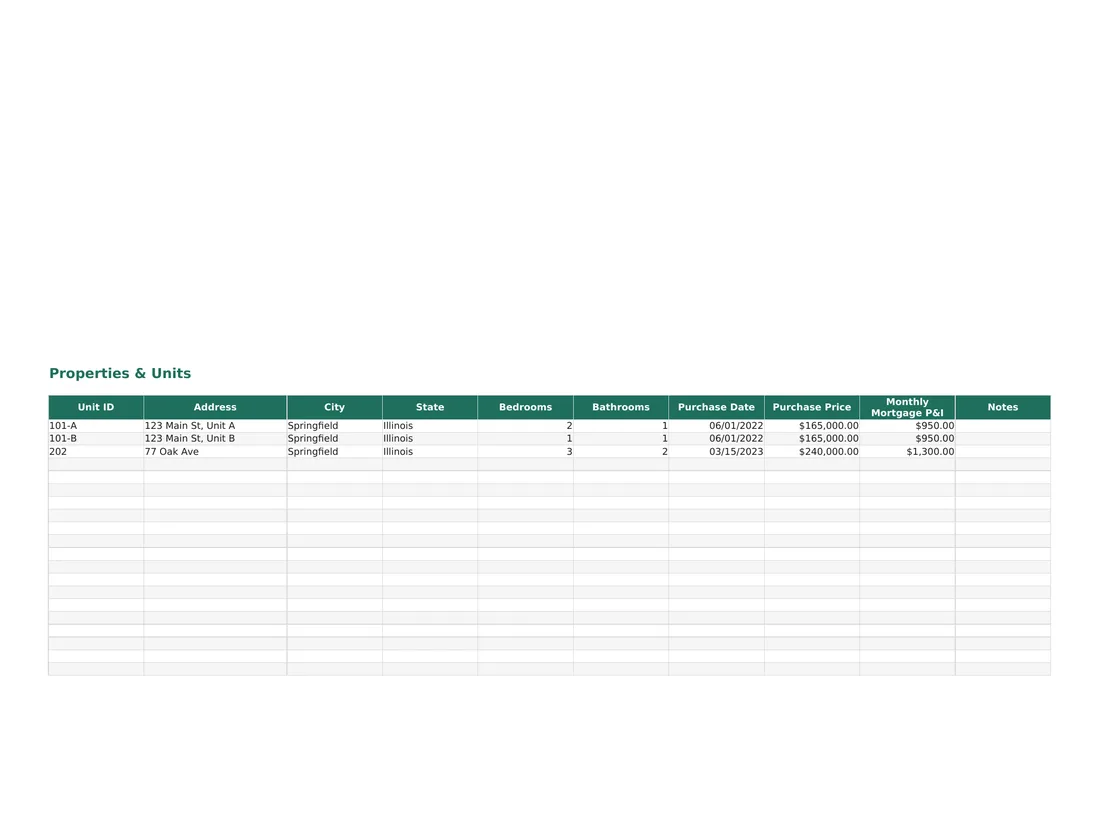
The Landlord Rental Tracker by Pintergrab is built for landlords with 1 to 20 units. The Pro workbook is 64 KB with 14 visible tabs. Properties & Units and Tenants & Leases hold 20 rows each, and the Rent Ledger has 240 rows, 20 units for 12 months, with tenant, rent and due date filled in from the lease. Each row shows a Balance and a Status: Paid, Partial, Late or Unpaid, after a 5-day grace period you can change. The Late Fee Calculator compares a flat or daily percent fee with a State Late Fee Rules table for 50 states, checked in September 2026. The Proration Calculator gives 3 results side by side, and the Dashboard shows rent collected, expenses, NOI, average occupancy and the rows marked Late, with 2 charts. Pro costs $9.99, one payment on Lava.top. The free Lite file is a 3-unit ledger.
Questions people ask
How many rental units can the tracker hold?
Pro holds 20 units: 20 rows on Properties & Units and Tenants & Leases, and a 240-row Rent Ledger, which is 20 units for 12 months. The free Lite ledger holds 3 units for 12 months, 36 rows.
Does the tracker calculate prorated rent?
Yes, in Pro. Type the monthly rent, the move-in or move-out date and the days occupied, and the Proration Calculator shows 3 results: actual days in the month, a 30-day banker's month and annual rent over 365 days.
How do I track security deposits?
The Pro Security Deposit Tracker has a row per tenant, picked from your lease list, with deposit received, date received, deductions, amount returned and date returned. The Balance column subtracts deductions and the returned amount from the deposit.
What does the Dashboard show?
Five numbers for the year to date: rent collected, total expenses, NOI, average occupancy and the number of ledger rows marked Late. Two charts sit below them: an expense breakdown and occupancy by unit. All of it comes from the other tabs.