Family Budget Planner
The budget spreadsheet that does the math for you
Built with AI assistance, every template hand-checked and tested.
What's inside
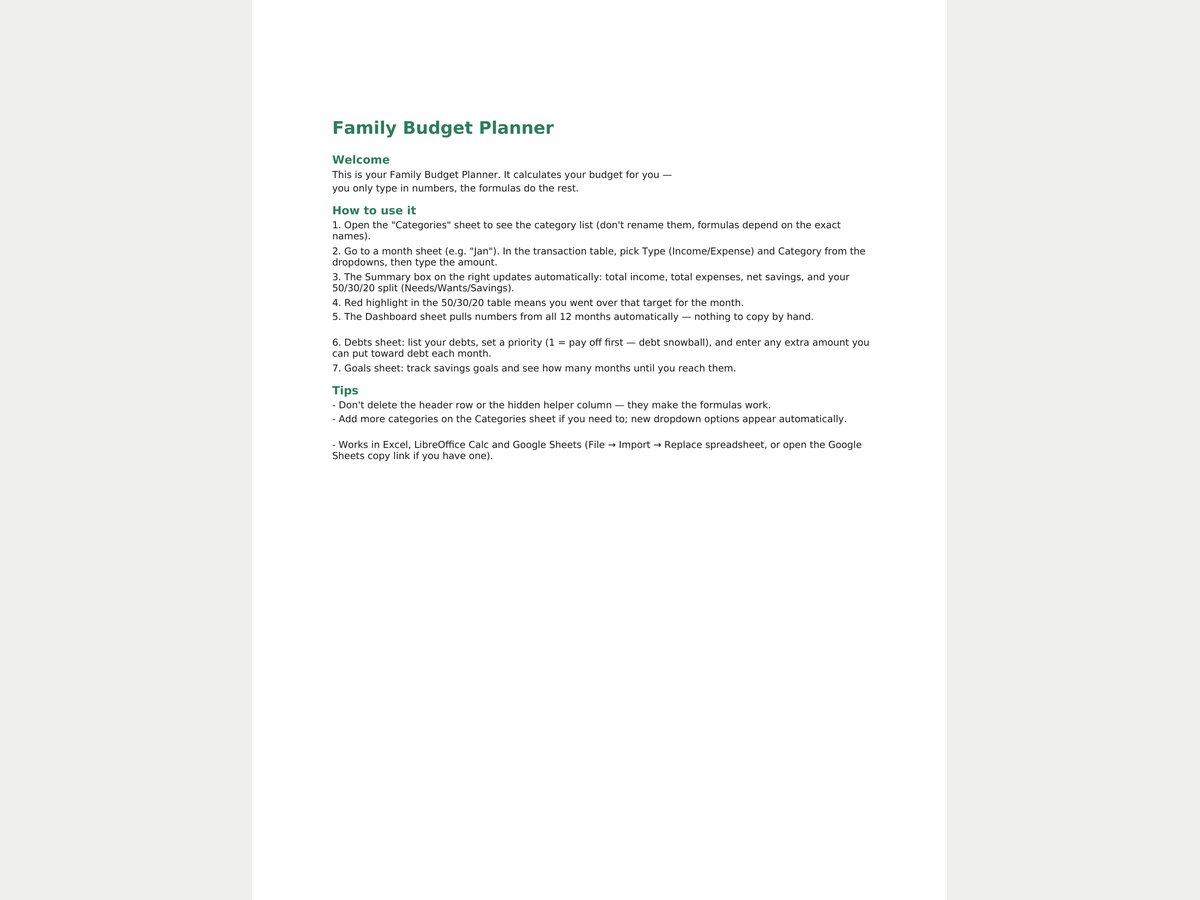
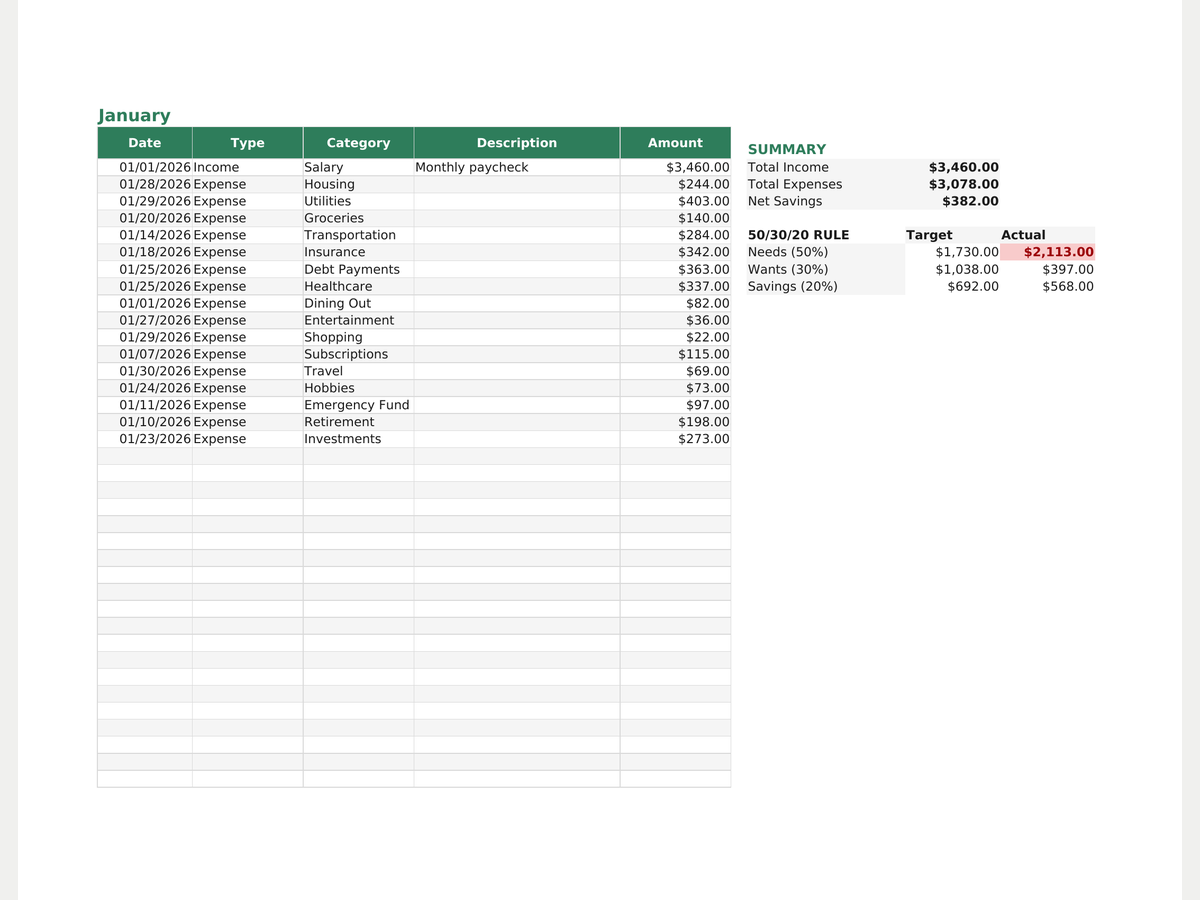
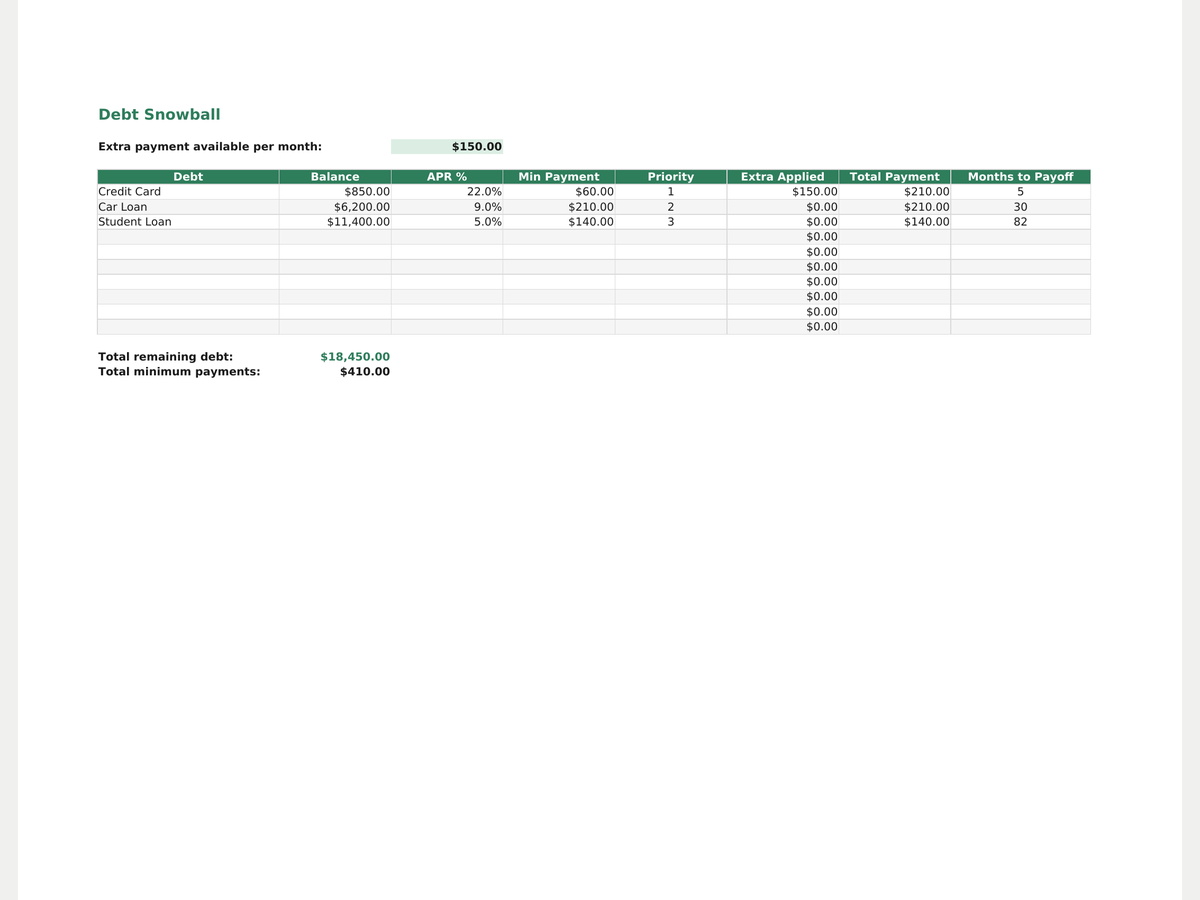
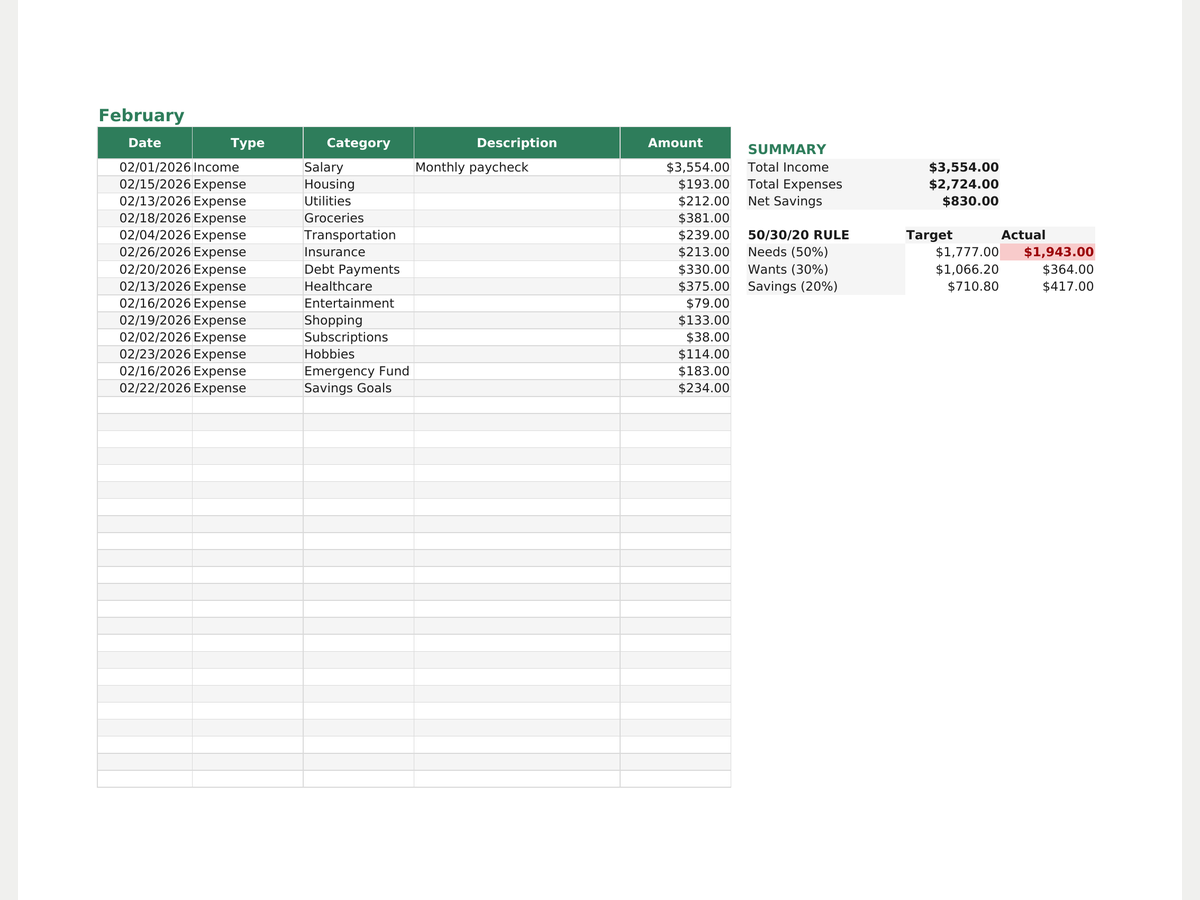
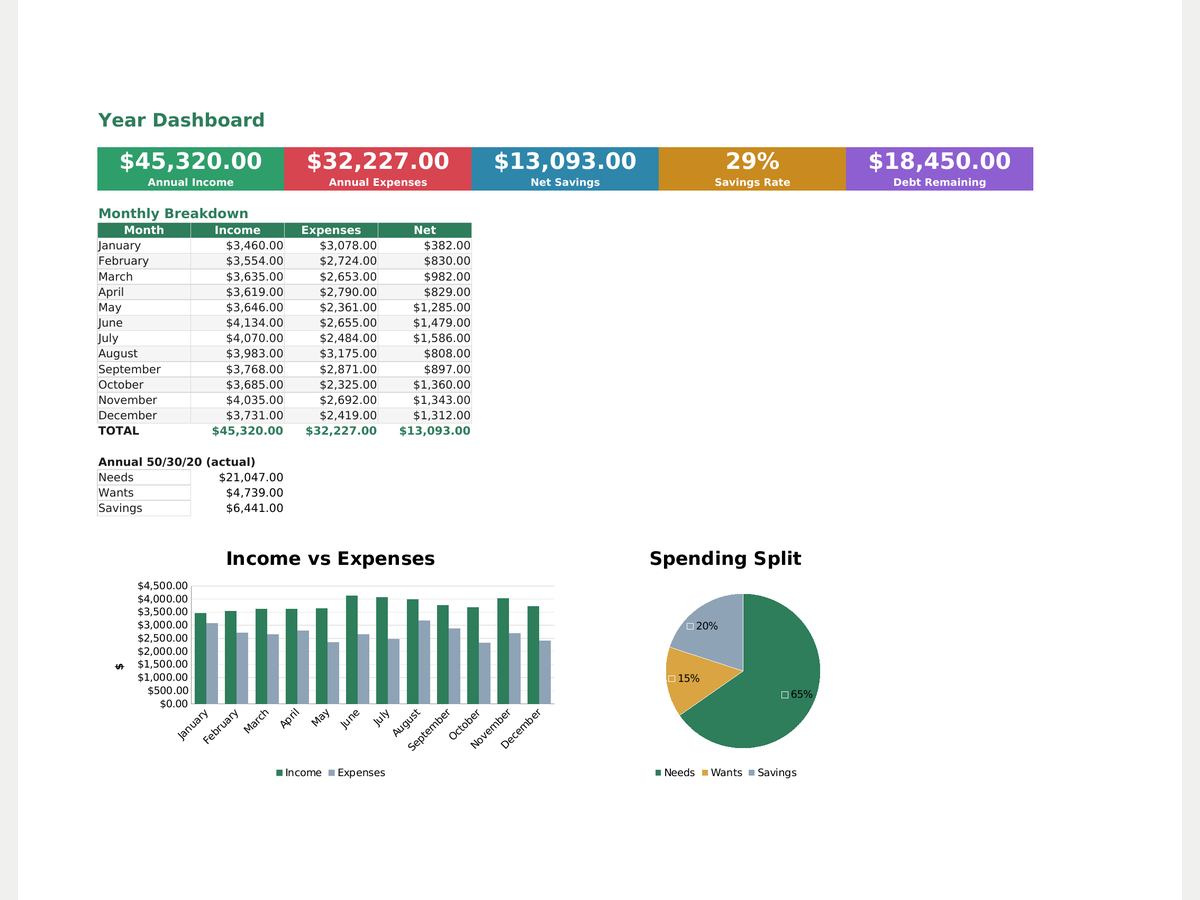
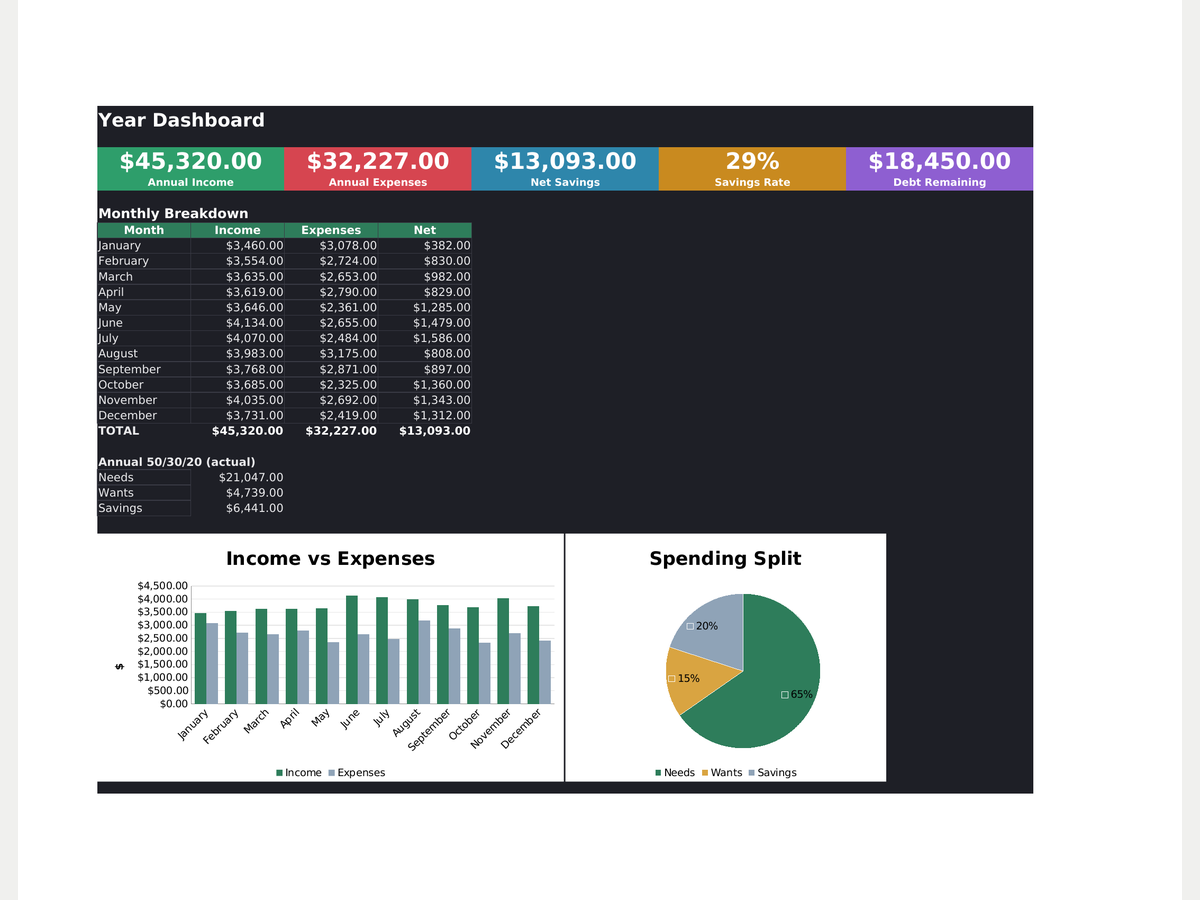
A family budget spreadsheet for Google Sheets and Excel that actually calculates your budget — you just type in numbers. 12 monthly sheets plus a year dashboard, automatic 50/30/20 split (needs/wants/savings) with red highlighting when you go over, and (in Pro) a debt snowball payoff planner with priority order and extra-payment allocation, plus a savings goals tracker that counts down the months. Categories and transaction types are dropdown-driven, headers are frozen, and the formulas are locked in place so nothing breaks by accident. Works in Excel, LibreOffice Calc and Google Sheets. Light and dark mode included.
- 12 monthly sheets + a year dashboard with charts
- Automatic 50/30/20 split with over-budget highlighting
- Debt snowball payoff planner with priority order
- Savings goals tracker with months-remaining countdown
- Dropdown category lists, locked formulas, frozen header row
- Light and dark mode, English and Russian versions
Formats
How you get it
A Google Sheets link (“File → Make a copy”) plus an .xlsx file and a short PDF instructions sheet. The email with your files goes out right after payment, automatically — no waiting for a reply.
Pro version
How to use it
- Click Download free Lite — the file saves instantly, no email needed.
- Open it in Google Sheets (File → Make a copy) or Excel/Numbers depending on the format you picked.
- Fill in your own numbers/dates — formulas and print areas are already set up.
FAQ
Is this Google Sheets or Excel?
Both — the file opens in Excel, LibreOffice Calc, and can be uploaded into Google Sheets (File → Import).
Will the formulas break if I edit things?
Leave the header row and the hidden 'Grp' helper column alone — everything else is safe to change.
What's the difference between Lite and Pro?
Lite gives you one month with no dashboard and no debt tracker. Pro unlocks all 12 months, the year dashboard, the debt snowball planner and savings goals.
Can I add my own expense categories?
Yes — add them on the Categories sheet and they show up in the dropdown automatically.