2027 Dated Planner — Printable + Digital, 111 Pages
53 weekly spreads with 7 lines a day, 12 months with US holidays and lined cells, quarterly goals, 12 habit trackers, 12 budgets — a clean printable (Letter/A4, Sunday or Monday start) plus a tabbed digital file
Built with AI assistance, every template hand-checked and tested.
What's inside
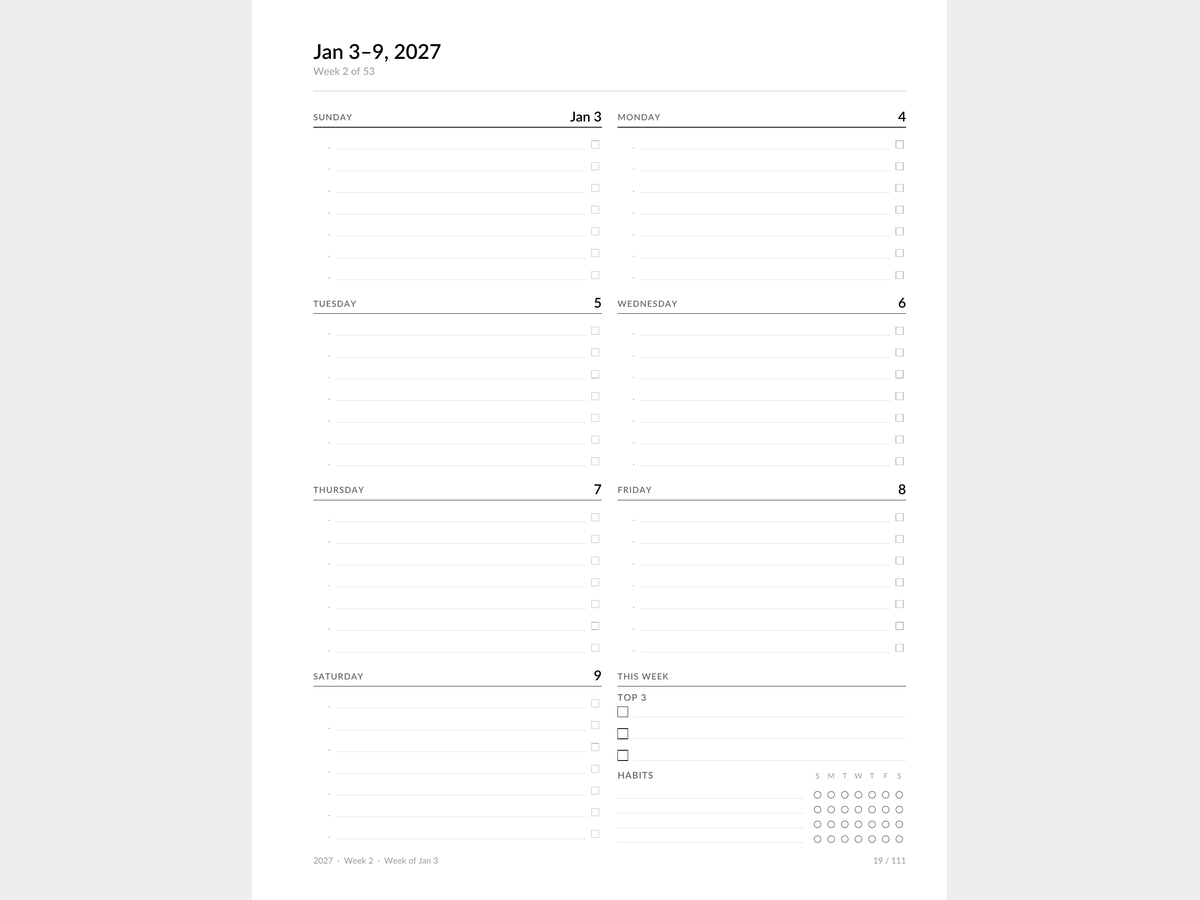
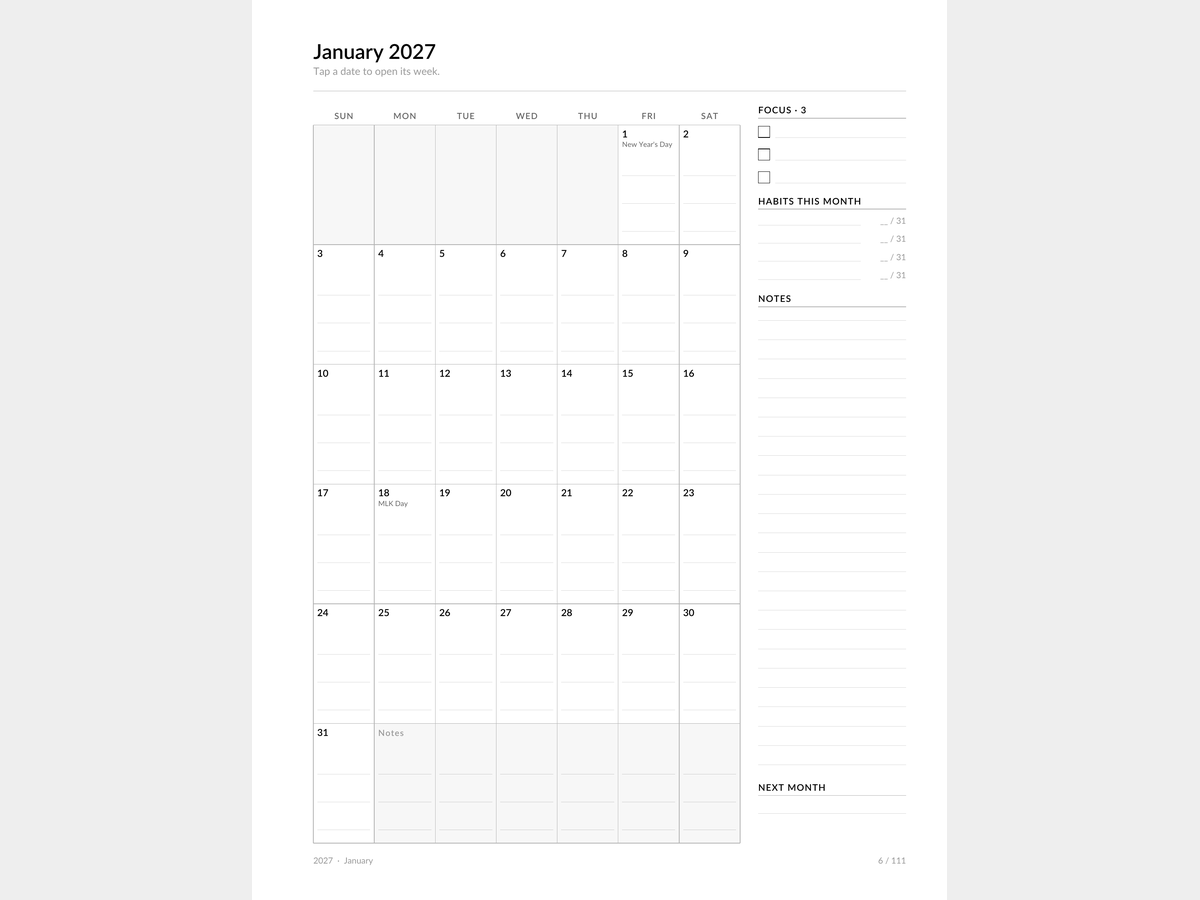
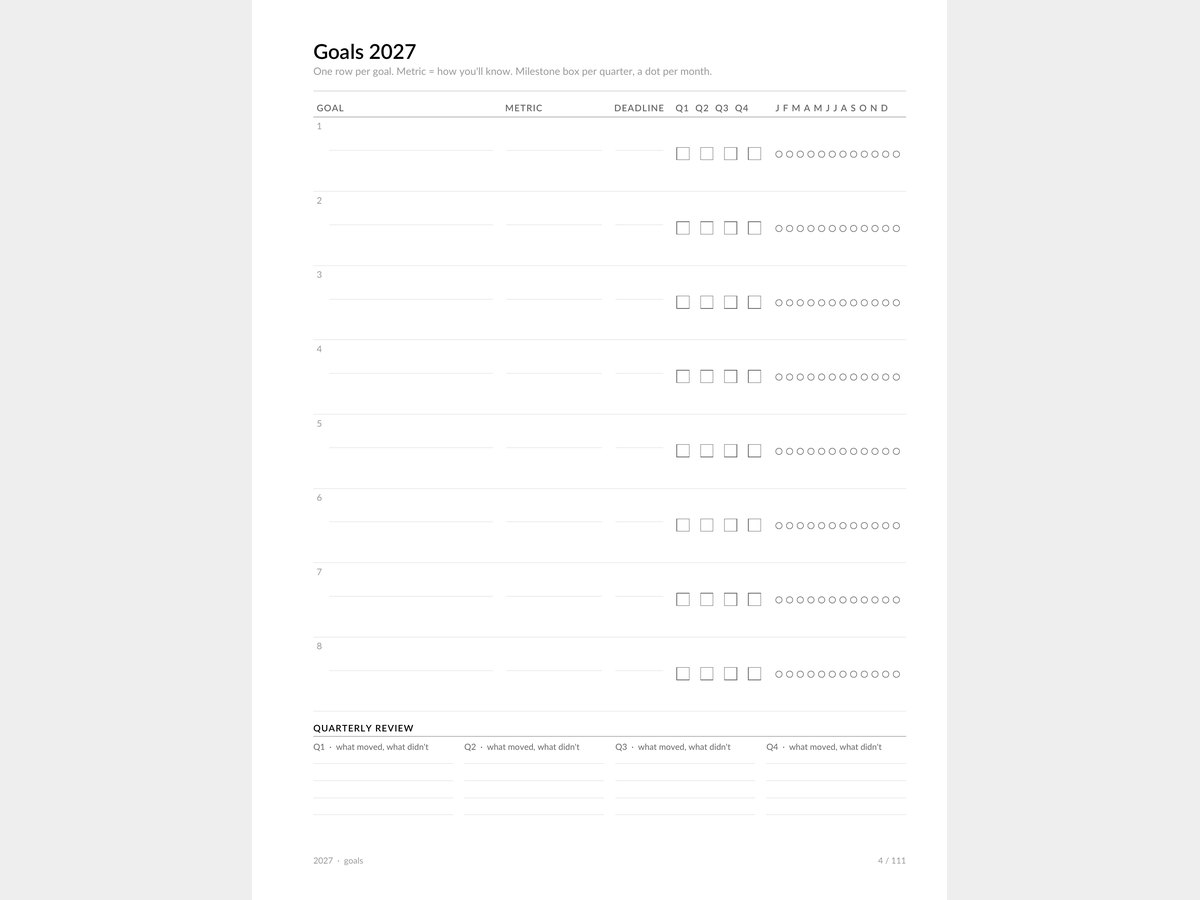
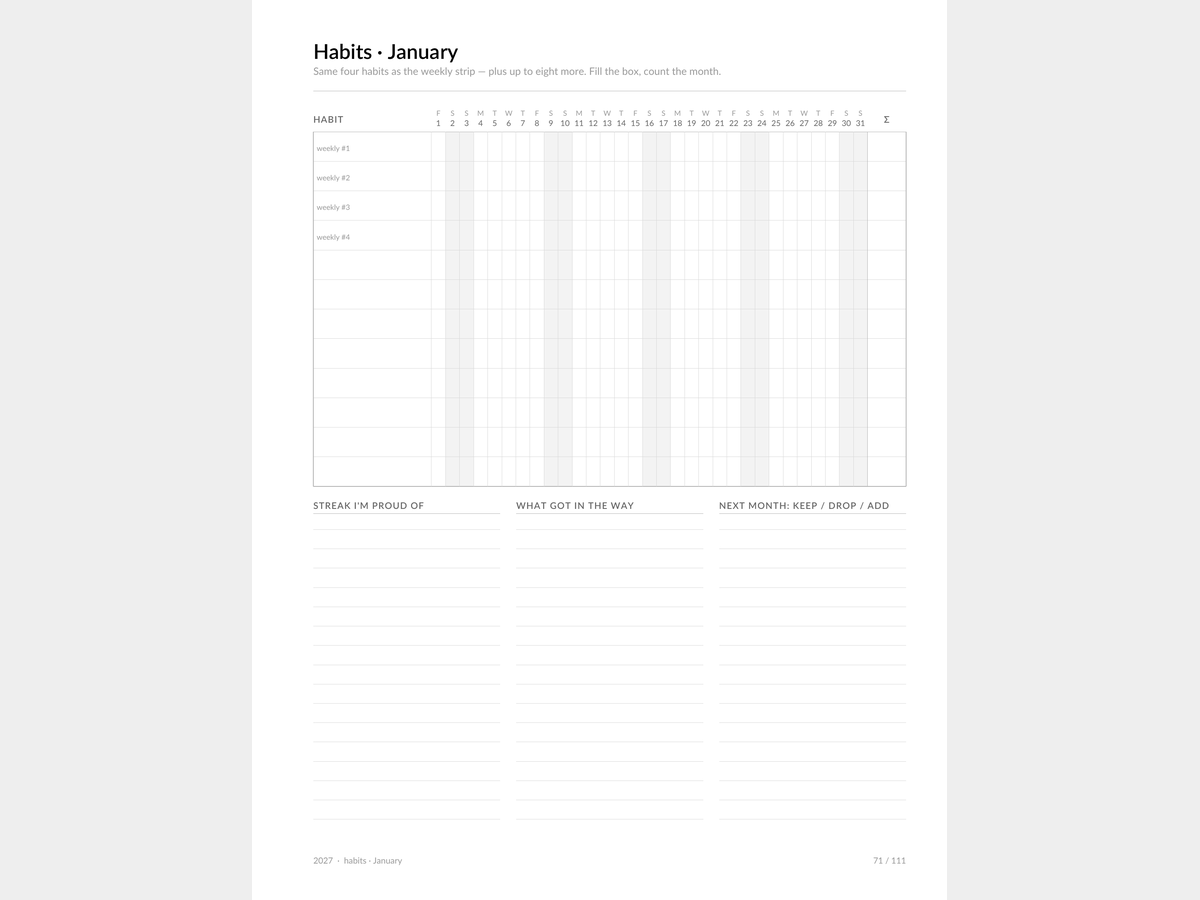
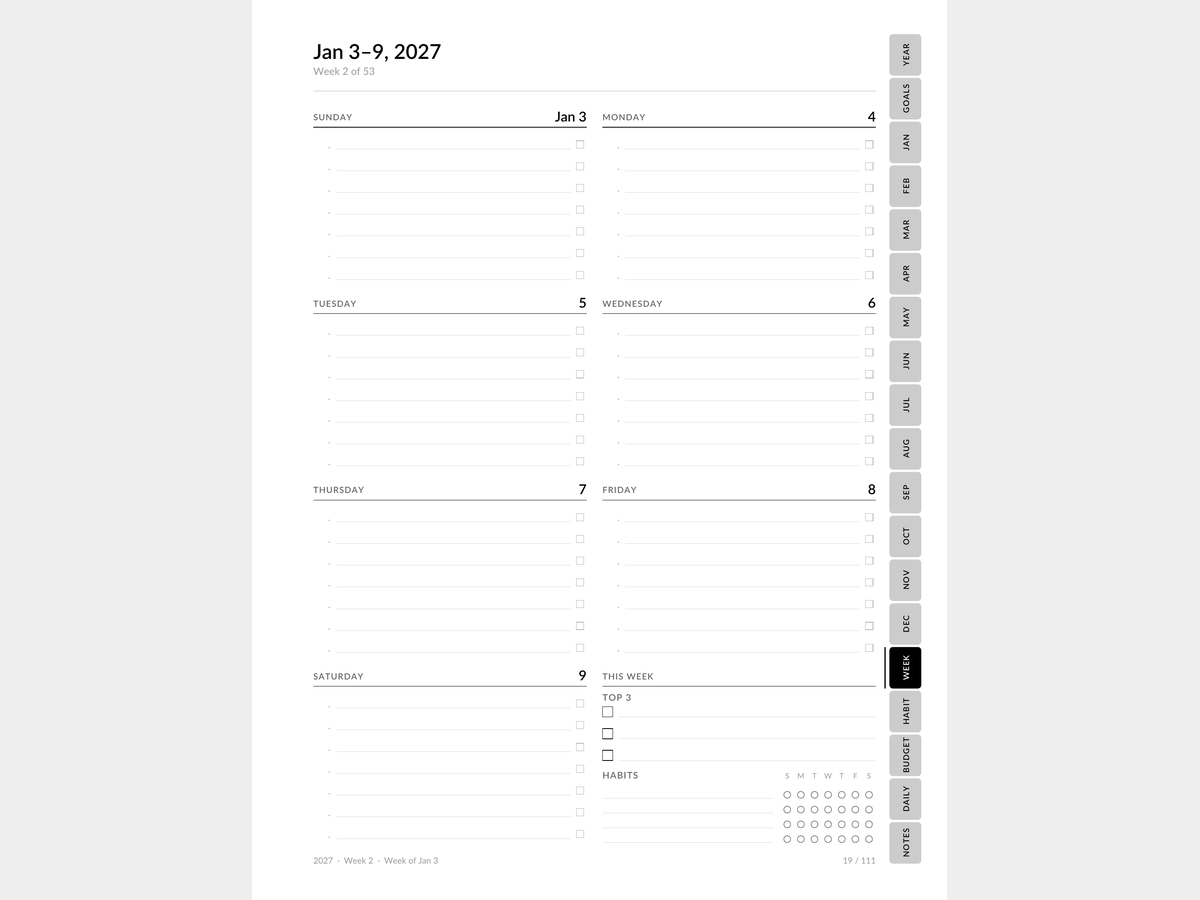
A dated 2027 planner built as a system, not a calendar with a cover. The weekly spread is the page you live on: 'Jan 3–9, 2027', eight blocks in a 2×4 grid, seven writing lines per day with a time gutter on the left and a checkbox gutter on the right, a 'This week' block with top 3 and a 4×7 habit strip; 53 weeks, with the overflow weeks of 2026 and 2028 included. Months: 8.5 pt dates, three light lines in every cell, US holidays labeled, focus-3, monthly habits and notes on the right; in the digital file every date links to its week, the year links to its months and the week title links back to the month. The trackers speak one language: goals (goal | metric | deadline | Q1–Q4 milestones | a dot per month), 12 monthly habit trackers (the same four habits as the weekly strip), 12 monthly budgets (bills due, plan vs. actual by category, sinking funds), annual sinking funds and a money overview, important dates, six undated daily pages, reading log, a sticker sheet, notes and a year-in-review. The printable has no side tabs: 0.75 in binding margin, 0.5 in outer — US Letter and A4, Sunday- and Monday-start (four files). The digital file (Letter) has tabs inset from the edge with real tap areas. One typeface, black ink and grays only. The free sample is 5 pages.
- 111 pages, one typeface, black ink and grays only
- Weekly: 7 lines a day, time gutter, checkbox gutter, habit strip
- Printable (Letter/A4, Sunday or Monday start) + digital file with tabs
- 12 months with three lines in every cell and US holidays; in the digital file, date → week and year → month links
- Trackers that agree: the same 4 habits in the week and the month, goals with Q1–Q4 milestones and a dot per month, 12 budgets + annual sinking funds
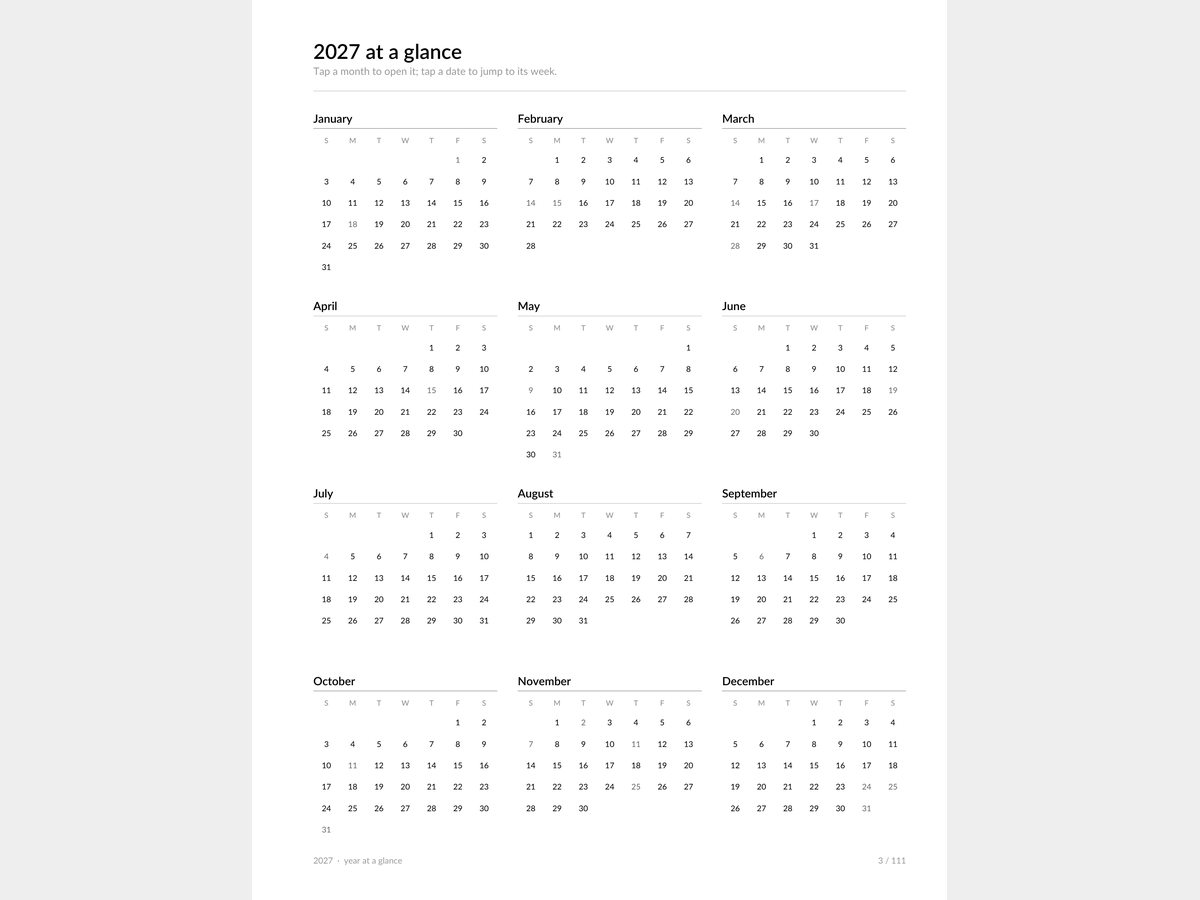
- Year at a glance, important dates, sinking funds, money overview, 6 daily pages, reading, stickers, notes, year in review
Formats
How you get it
A Google Sheets link (“File → Make a copy”) plus an .xlsx file and a short PDF instructions sheet. The email with your files goes out right after payment, automatically — no waiting for a reply.
Pro version
How to use it
- Click Download free Lite — the file saves instantly, no email needed.
- Open it in Google Sheets (File → Make a copy) or Excel/Numbers depending on the format you picked.
- Fill in your own numbers/dates — formulas and print areas are already set up.
FAQ
How is the printable different from the digital file?
The printable has no side tabs and has a binding margin for hole-punching. The digital file is the same 111 pages plus tabs inset from the edge and links: contents, year → month, date → week, week → month.
Sunday or Monday start?
Both, as separate files (Letter and A4 for each). The digital file is Sunday-start.
Are there dated daily pages?
No. Six undated daily pages (6 AM–10 PM in half hours) — print or duplicate them only for the days that need an hour-by-hour plan.
What's in the free sample?
5 pages: January, one week, the January habit tracker, the goals page and a note about the full version.