Habit & Routine Tracker
The habit tracker that survives a missed day: weekly targets, rest days that keep your streak, current streak up front
Built with AI assistance, every template hand-checked and tested.
What's inside
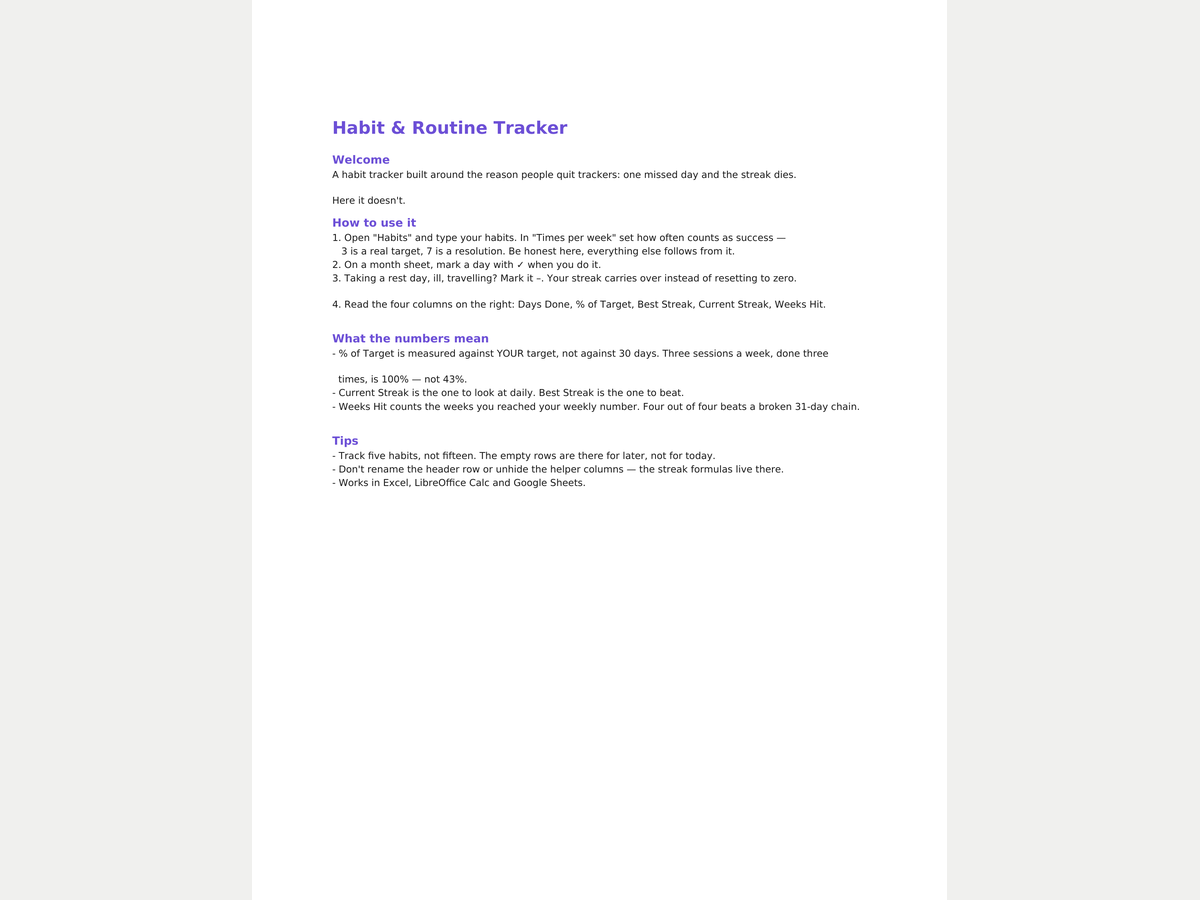
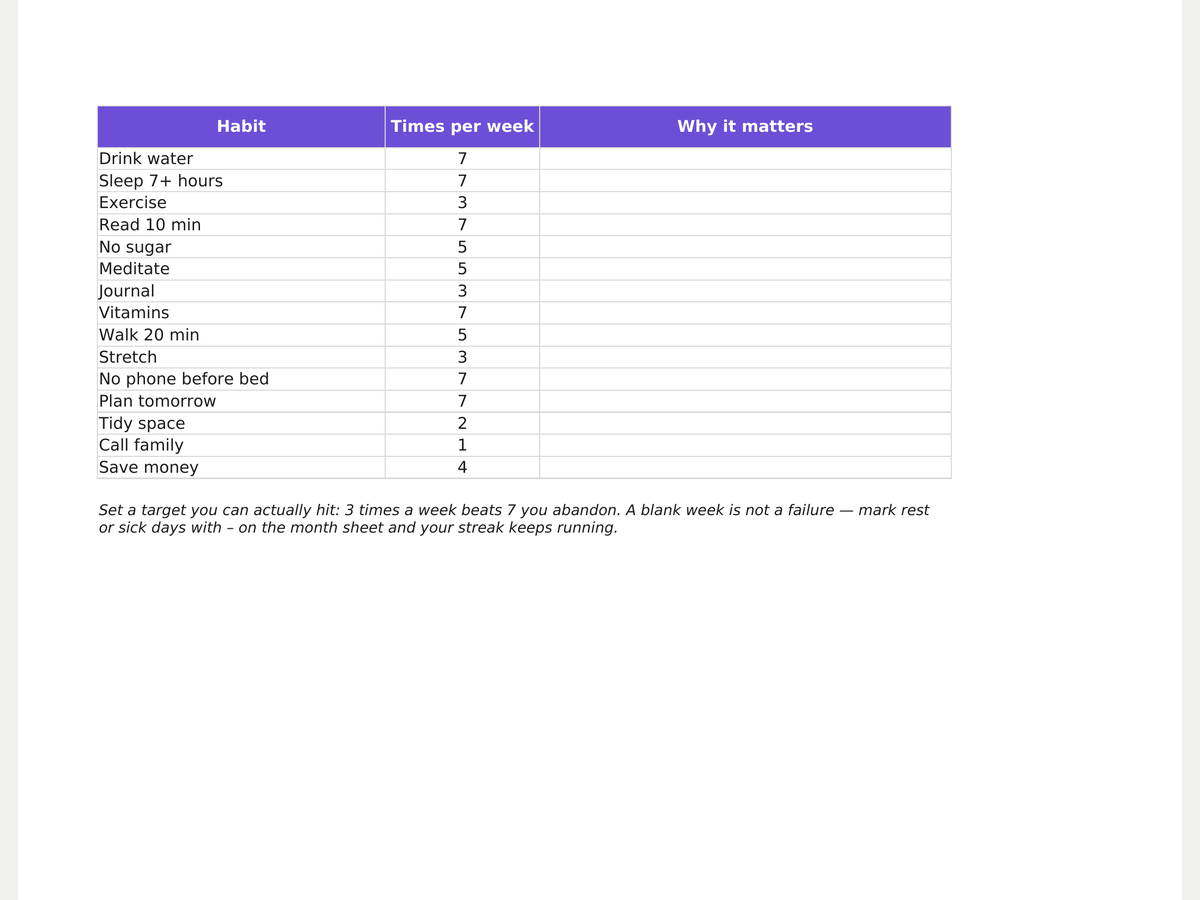
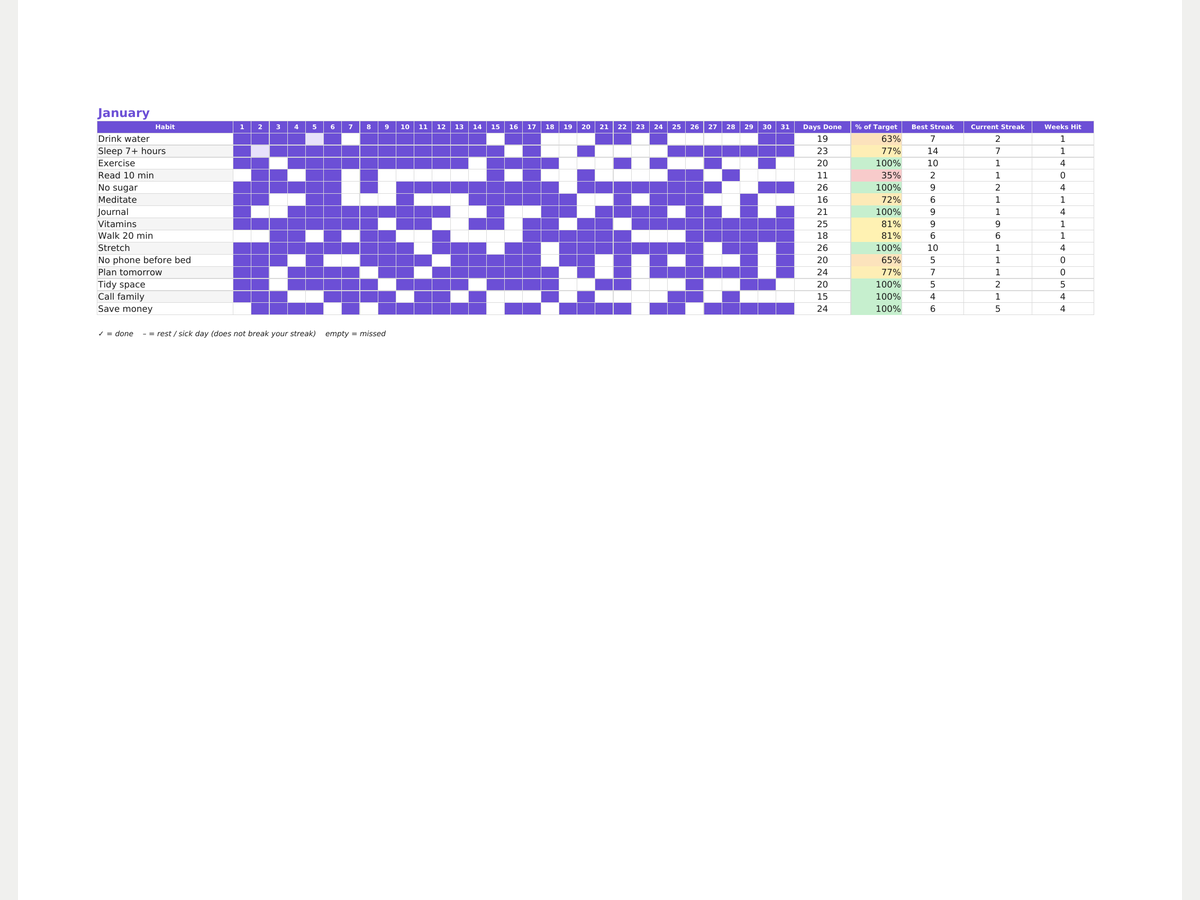
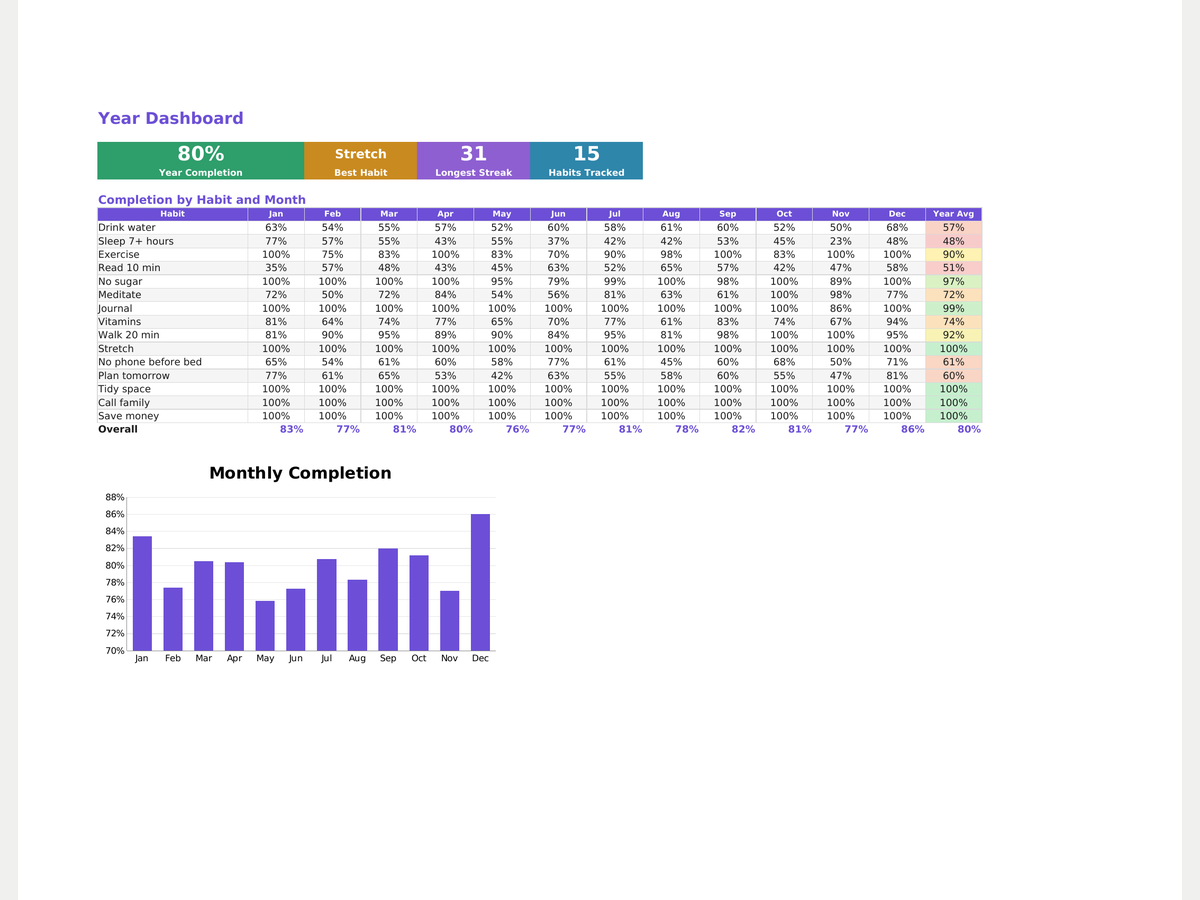
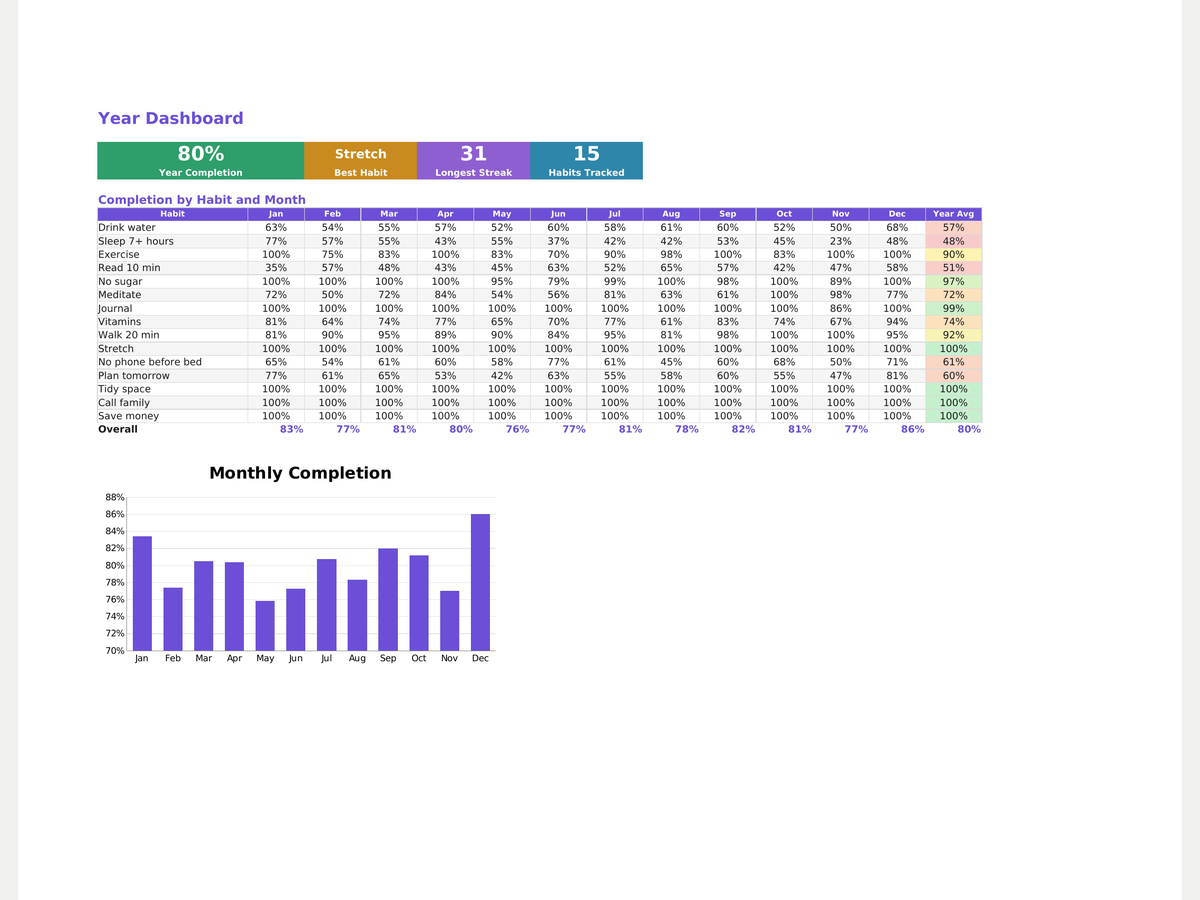
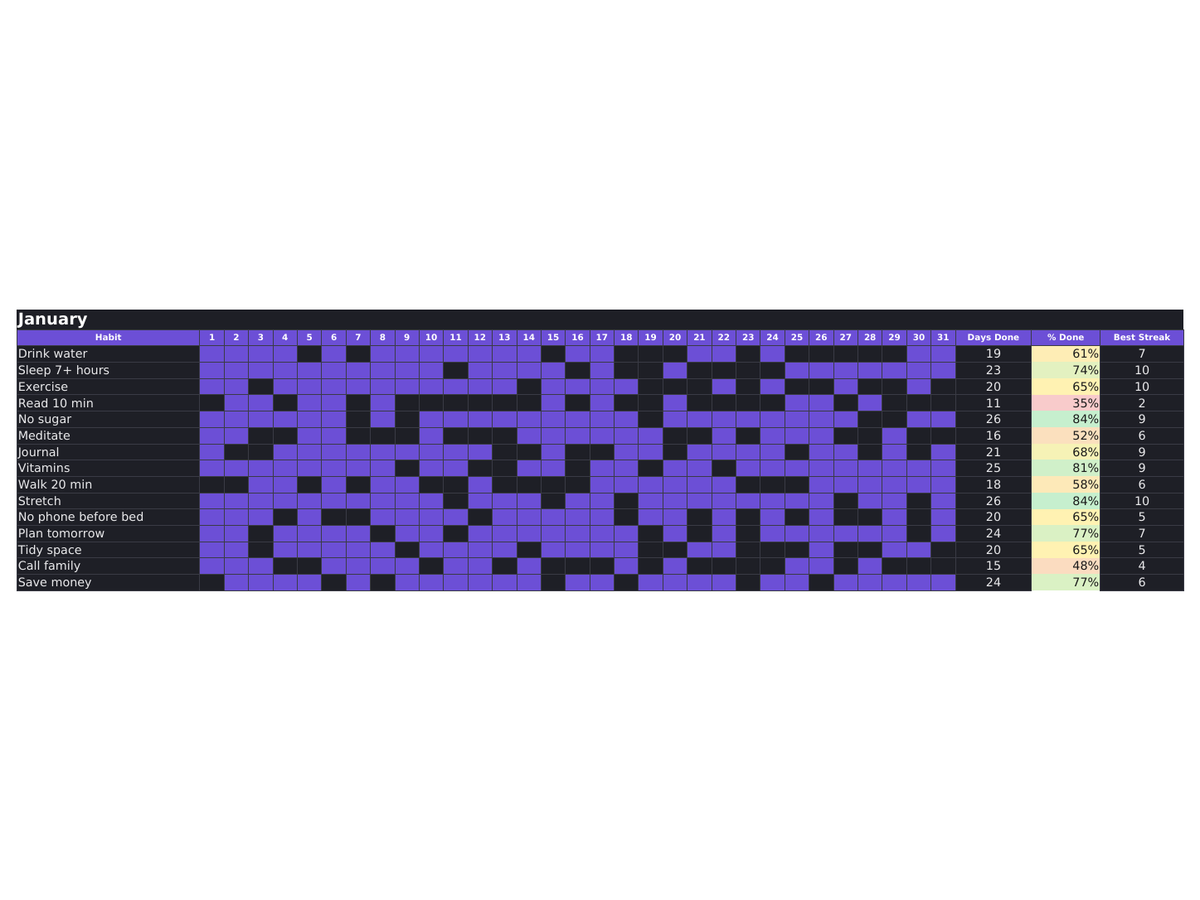
A habit tracker built around the reason people quit trackers: one missed day and the streak dies. Here it doesn't. Give each habit its own weekly target (1–7 times a week) and the sheet measures you against that, not against 31 days — three gym sessions a week, done, is 100%. Mark a rest or sick day with a dash and your streak carries over instead of resetting. You see Days Done, % of Target, Best Streak, Current Streak and Weeks Hit for every habit, with a colored heatmap grid so a good month is visible at a glance. Pro adds all 12 months and a year dashboard with completion by habit and month, longest streak, best habit and charts. Plain formulas, hidden helper columns, no macros — opens in Excel, LibreOffice Calc and Google Sheets. Light and dark themes included.
- Set a target per habit — 3 times a week counts as 100%, not 43%
- Rest or sick day (–) carries your streak instead of resetting it to zero
- Current streak next to best streak — the number you actually check every day
- Weeks Hit: how many weeks you reached your weekly target
- Heatmap grid, 12 months + year dashboard (Pro), light and dark themes
- Works in Excel, LibreOffice Calc and Google Sheets — no macros
Formats
How you get it
A Google Sheets link (“File → Make a copy”) plus an .xlsx file and a short PDF instructions sheet. The email with your files goes out right after payment, automatically — no waiting for a reply.
Pro version
How to use it
- Click Download free Lite — the file saves instantly, no email needed.
- Open it in Google Sheets (File → Make a copy) or Excel/Numbers depending on the format you picked.
- Fill in your own numbers/dates — formulas and print areas are already set up.
FAQ
How do I mark a day as done?
Click the cell under that day's number and pick the checkmark from the dropdown.
What counts as a streak?
The longest run of consecutive checked days in that month — calculated automatically by formula.
What's the difference between Lite and Pro?
Lite gives you one month with no year dashboard. Pro unlocks all 12 months plus the year dashboard with monthly trends.
Can I track more than 15 habits?
The template caps at 15 to keep it readable. You can copy a row and extend the formulas manually if you need more.